

Instalação
Instruções de instalação e configuração
Como adicionar um banner de cookies em um site React
Neste guia, vamos mostrar como instalar a CookiePal em um site React
Índice
Voltar
Voltar ao topo
A CookiePal ajuda você a garantir que seu aplicativo React esteja em conformidade com o GDPR, CCPA, LGPD e outras leis de privacidade, gerenciando o consentimento de cookies para seus usuários. Este guia orienta você nas etapas para integrar a CookiePal ao seu aplicativo React.
Entre na CookiePal
Acesse a CookiePal e entre na sua conta.
Obtenha o código de instalação
No painel CookiePal, clique no ícone do arquivo HTML para obter o código de instalação. Consulte o gif abaixo para obter instruções detalhadas sobre como fazer isso.
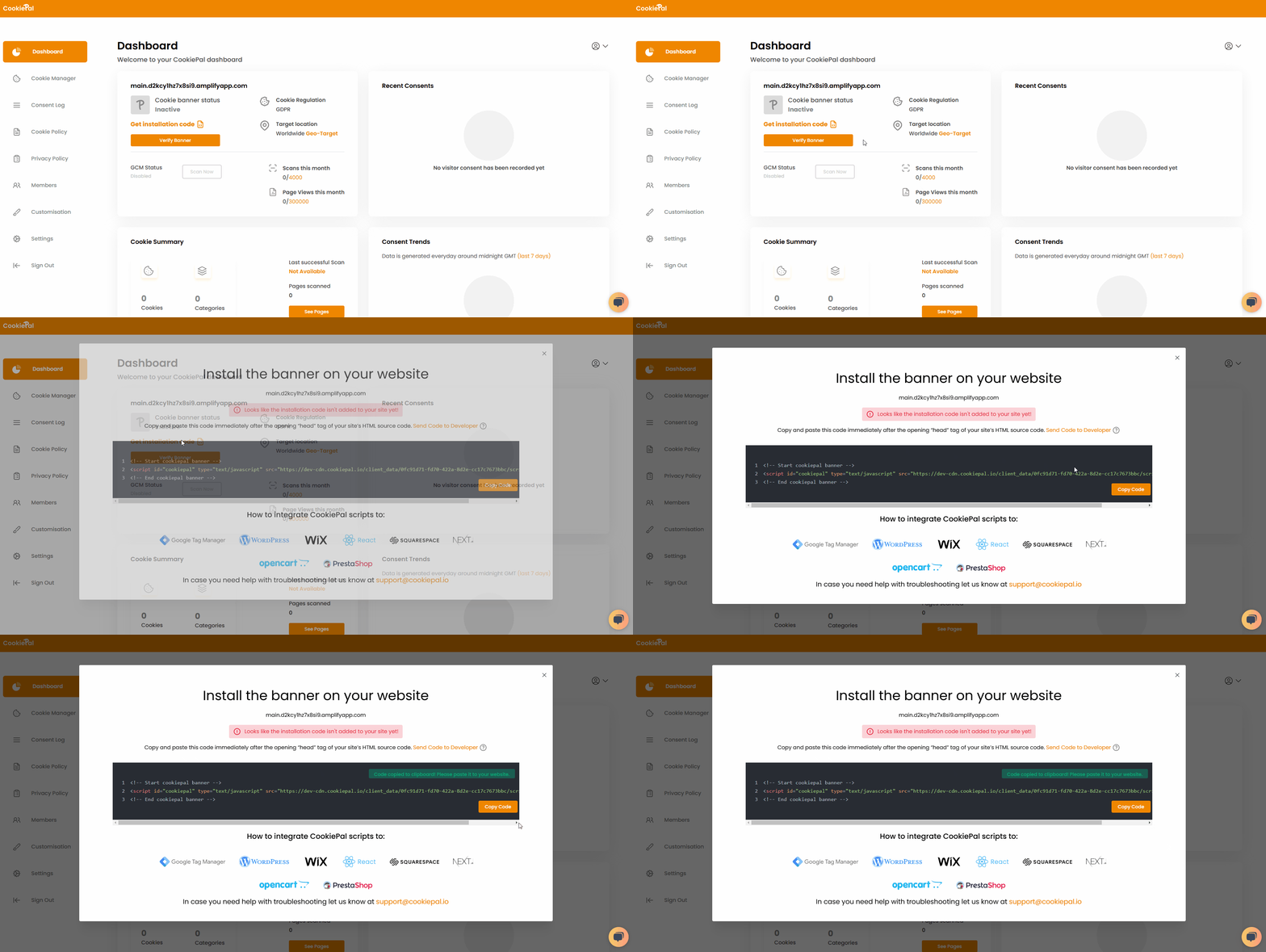
Copie o código do script gerado para a área de transferência.
Adicione o script da CookiePal ao seu aplicativo React
Abra seu aplicativo React e localize o arquivo public/index.html.
Cole o código de script da CookiePal que você copiou anteriormente na seção <head> do arquivo index.html.
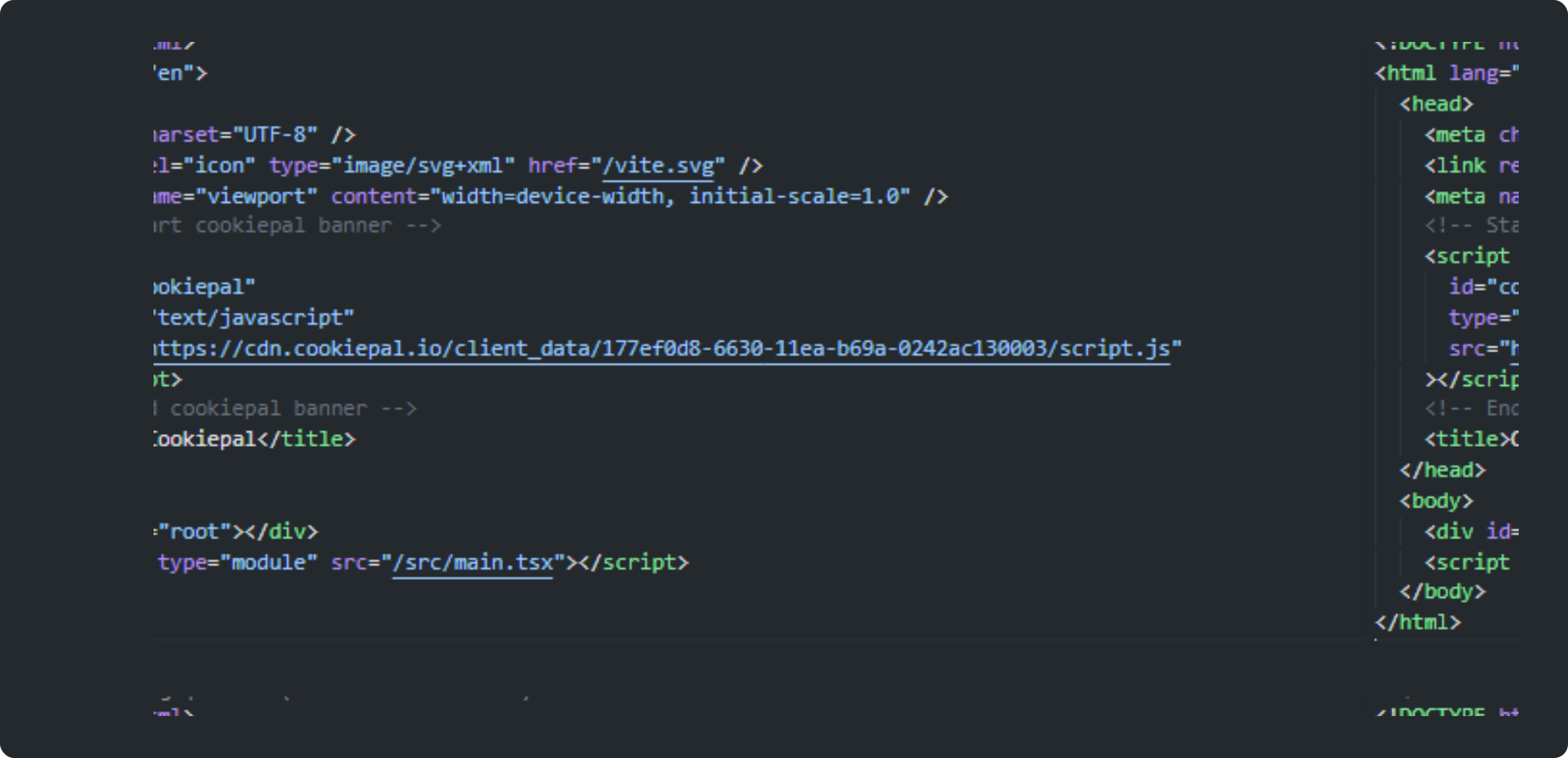
Inicialize CookiePal no seu aplicativo React
Salve suas alterações usando sua ferramenta de gerenciamento de código preferida.
Implante esta nova versão do seu site usando seus métodos e automação preferidos.
Verifique o banner de cookies
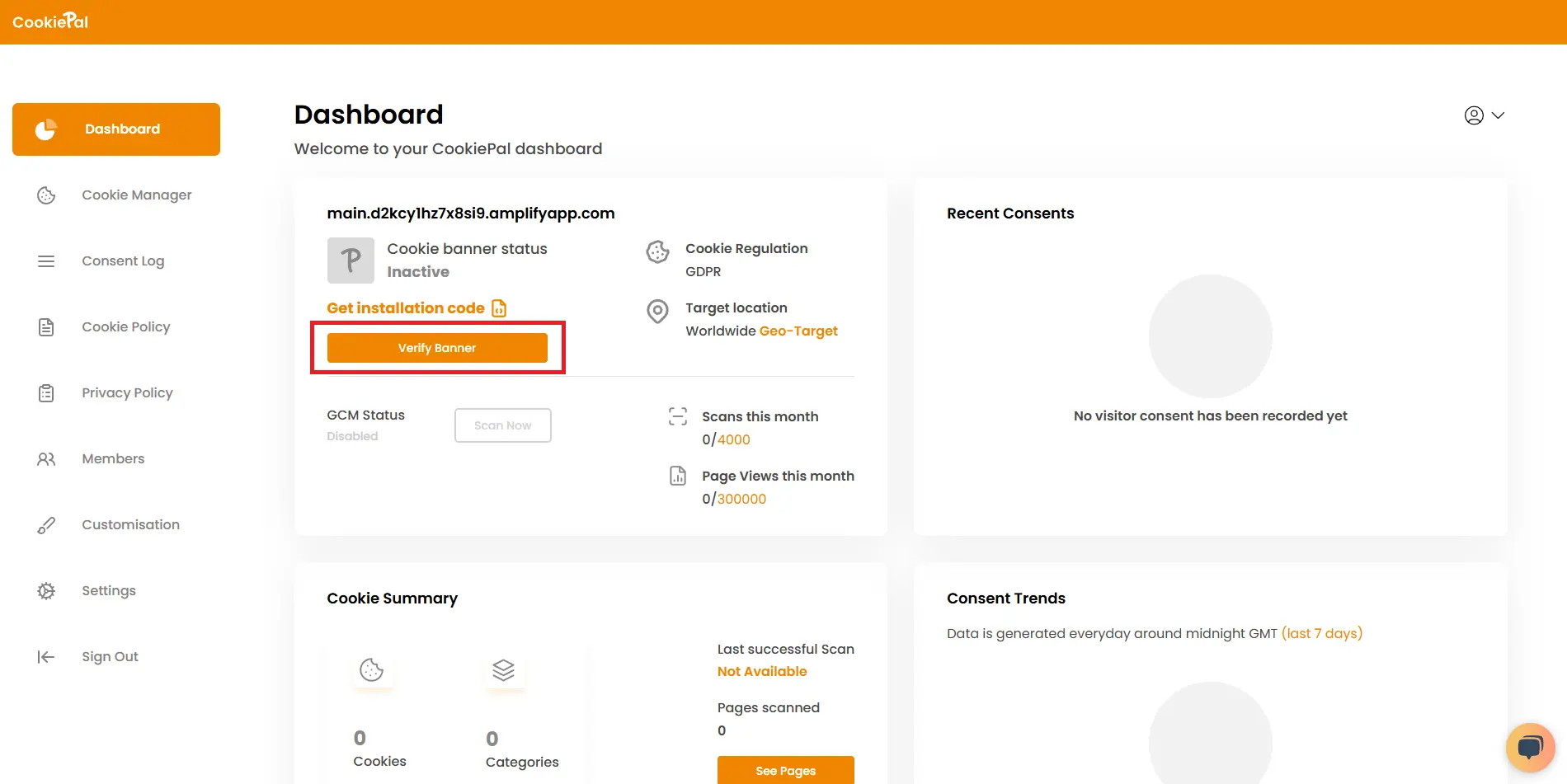
Verifique o banner: Retorne ao painel CookiePal e verifique se o banner de cookies está ativo no seu site. O status deverá mudar para “Ativo”.
Teste a implementação: Visite seu site para garantir que o banner de consentimento de cookies apareça corretamente e os cookies sejam bloqueados até que o consentimento dos usuários seja dado.