

Agencies
Add your customers and manage them from the agency dashboard.
Set Up Your Agency From Home
Take the first visit tour and finish the setup steps on Home.
Table of contents
back
to the top
A new agency starts on Home with a short tour and two setup steps. You can skip any of them and come back later.
Take the Tour
On your first visit, a short tour points at the two setup steps. Click the button in the tour to start a step, or click "Skip the tour". The close button and the Esc key end it too. The tour shows once in each browser.
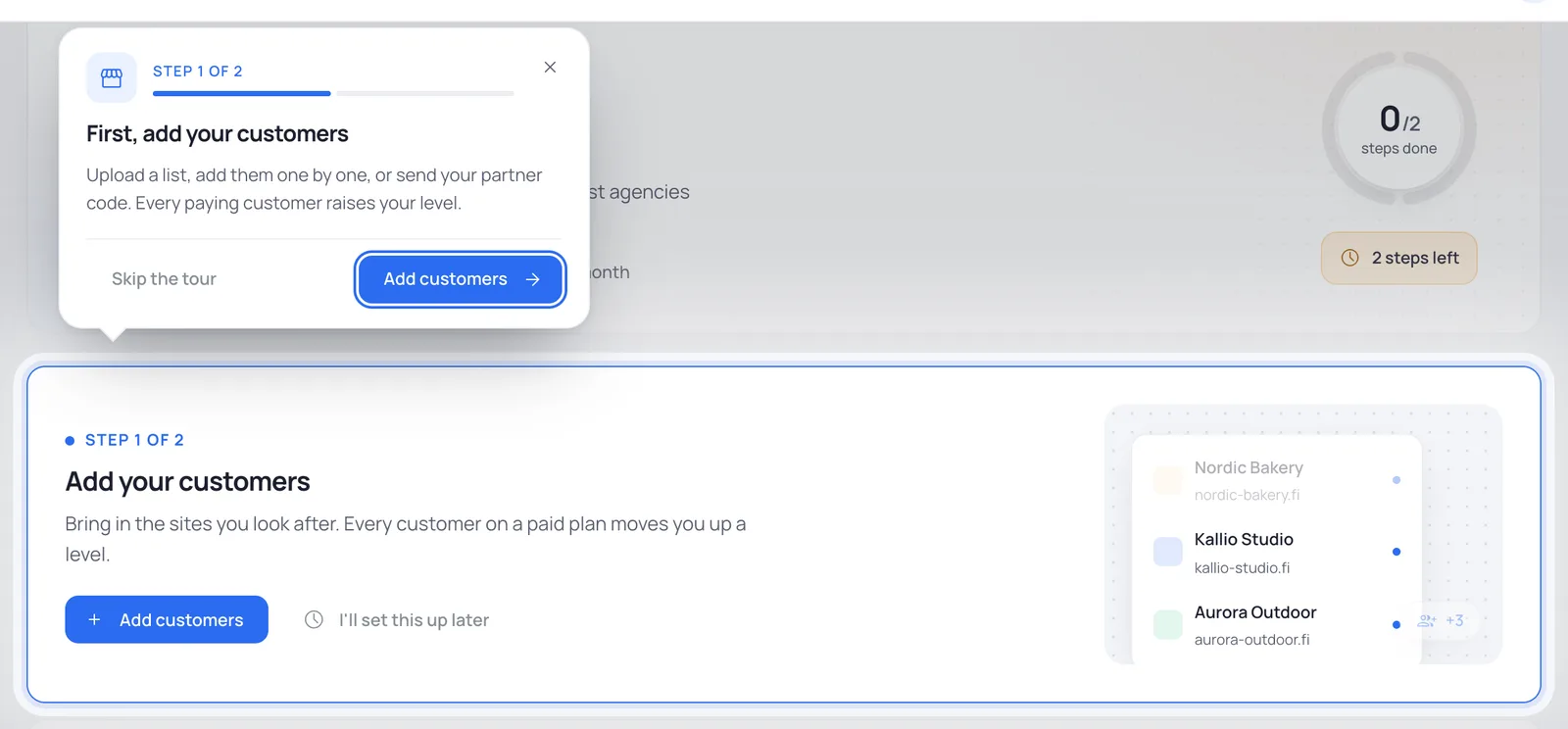
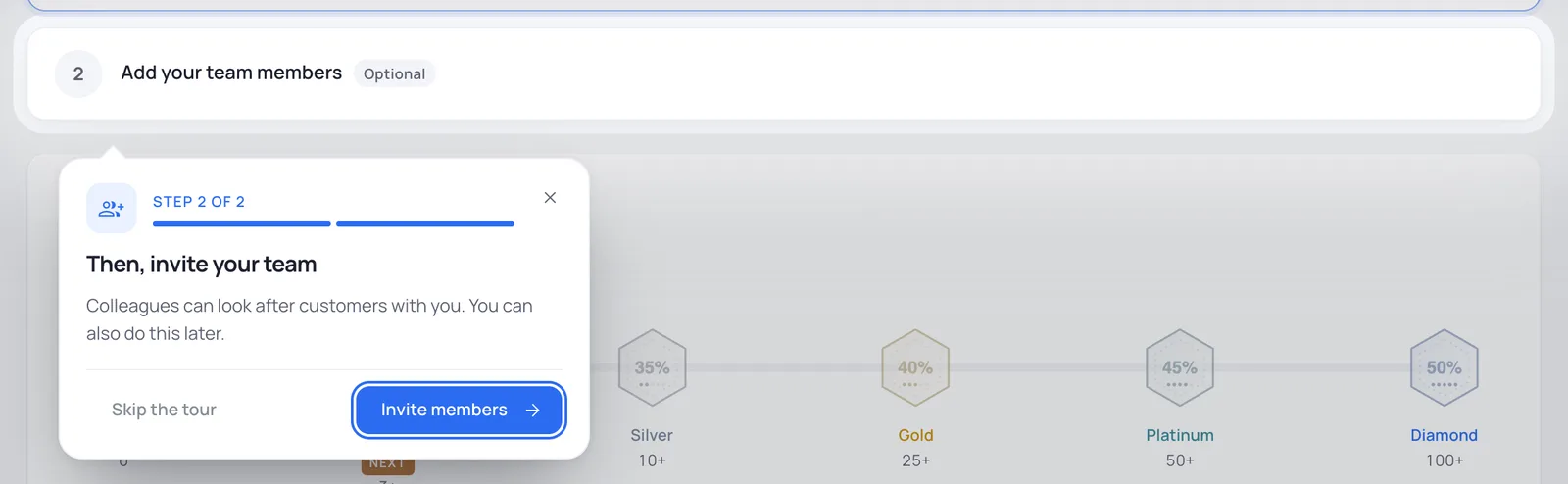
Invite Your Team in the Tour
When you close the window for adding customers, the tour moves on to "Then, invite your team". Click "Invite members" to open the invite window, or skip the tour. Only agency admins see this step.
Add Your Customers
The first setup step on Home is "Add your customers". Click "Add customers" to open the window with the three ways to add them. See Add Customers. While sites wait for DNS, the step shows how many are waiting and counts as done once your customers are validated.
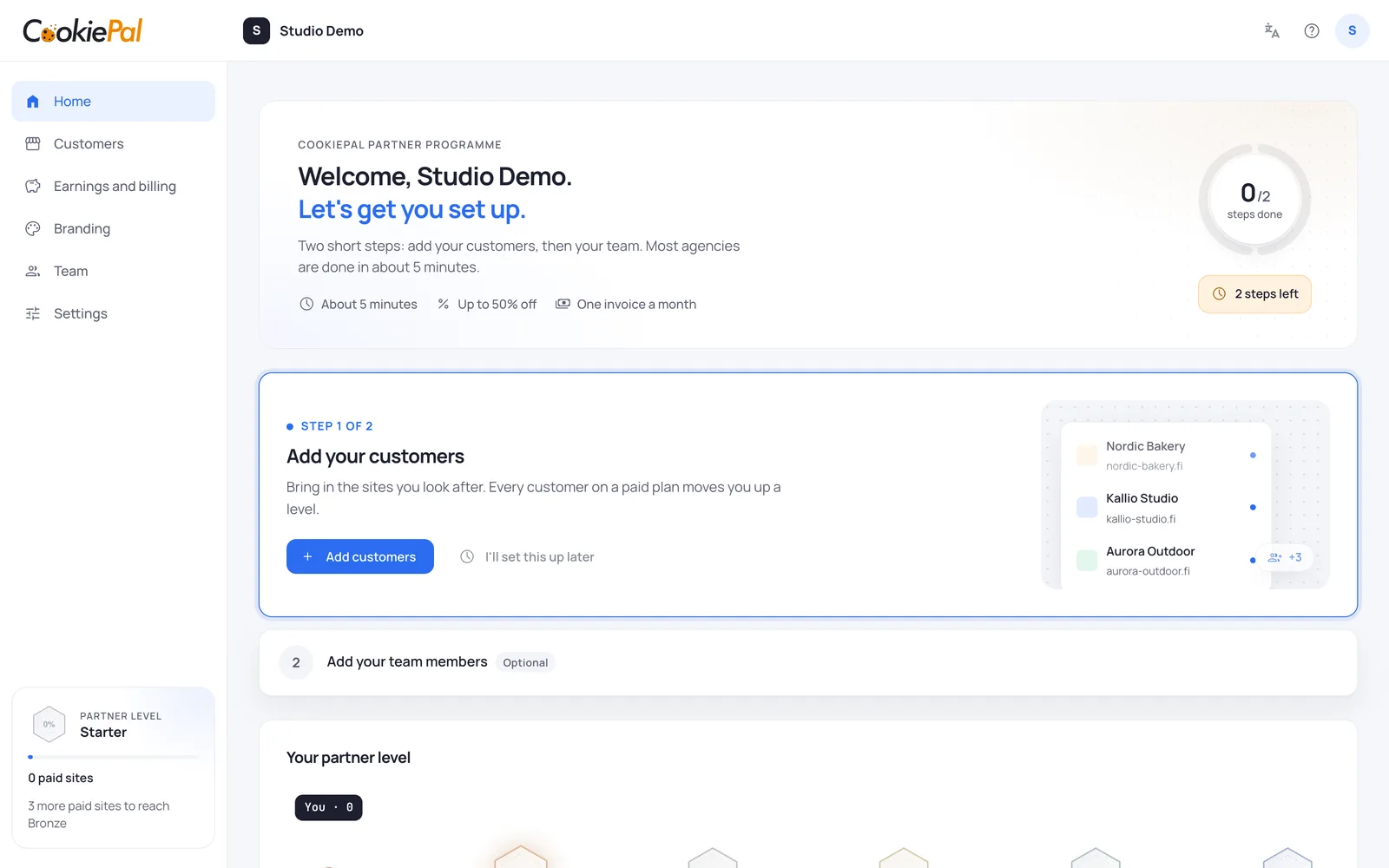
Not ready yet? Click "I'll set this up later". The step shows "Skipped for now" until you reload the page, and a "Do it now" button brings it back.
Add Your Team Members
The second step is "Add your team members", and it is optional. Click "Invite member" to send an invite, "I'll add them later" to skip it, or "No more members to add" if you work alone. Only agency admins see this step. See Invite Team Members.
Watch Your Progress
The ring at the top counts the steps you have finished. Admins see two steps, so it starts at "0/2 steps done". A skipped step stays in the count until you do it.
When the Setup Ends
Home switches to the usual view as soon as you have your first customer. A customer exists once their site passes its DNS check, so sites still waiting for DNS do not count yet. See Find Your Way Around the Agency Dashboard.
Any Questions Left?
Feel free to contact us and we will answer all of yours remaining questions!
Contact Us