

Agencies
Add your customers and manage them from the agency dashboard.
Add a Customer Manually
Add one customer and their website, then verify the domain.
Table of contents
back
to the top
Open the Form
Click "Add customers" on Home or on the Customers page and choose "Add manually".
Fill In the Details
Fill in the form.
- Business name: the name you use for this customer.
- Owner's email: we invite this person as the account owner.
- Websites: the customer's domain, for example nordicbakery.example.com.
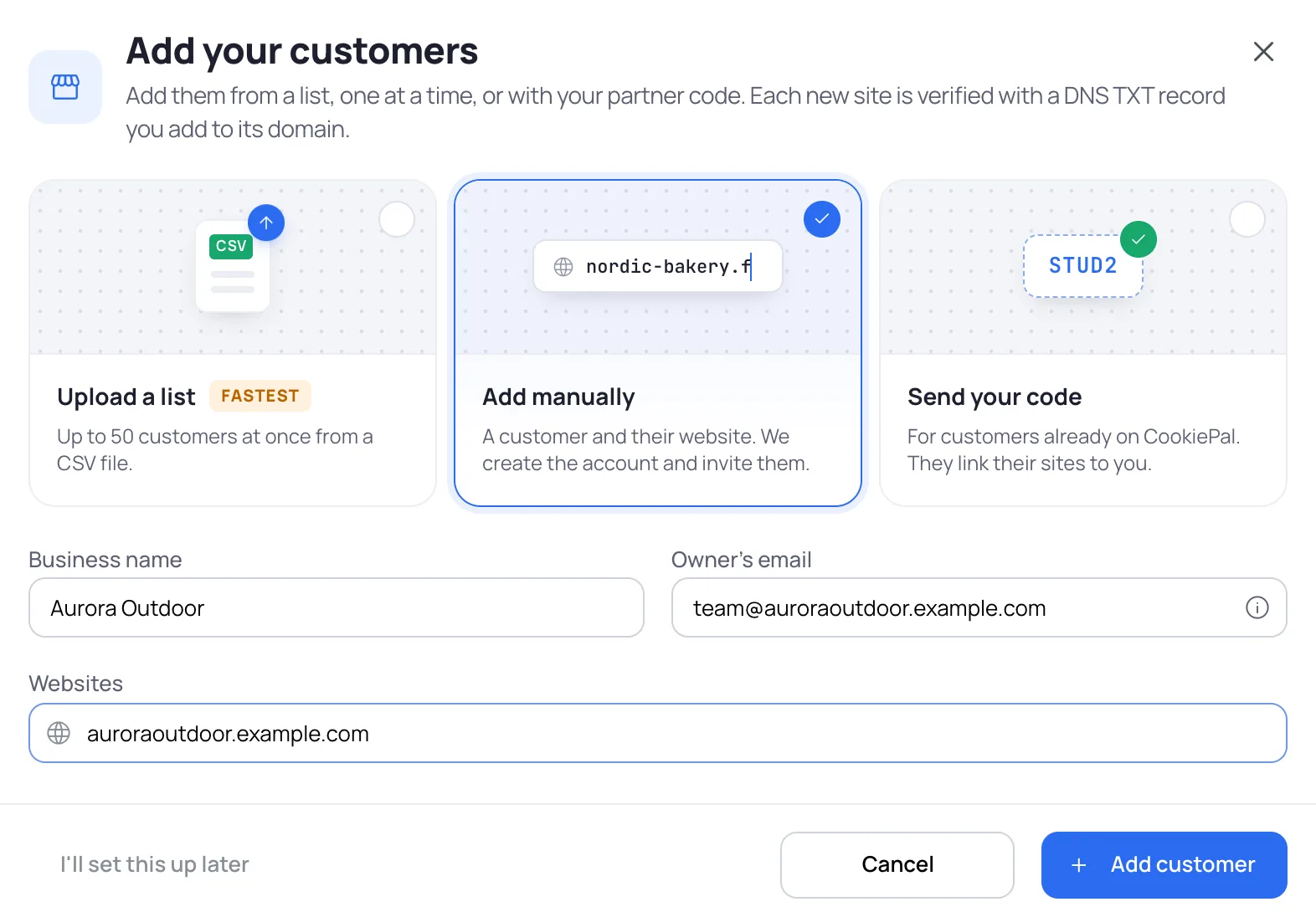
Add the Customer
Click "Add customer". The window says "Added. Publish the DNS record to finish." and the site appears under "Waiting for DNS" with its TXT record. We create the account only after we find the record. See Verify a Domain With a DNS Record.
If the Customer Is Refused
The window tells you why a customer can't be added.
- The website is already registered in CookiePal.
- The website is already waiting for DNS verification.
- The email already has a CookiePal account. Send your partner code instead.
- You reached the limit of 50 pending sites or 50 adds an hour.
Fix the details or try again later.
Any Questions Left?
Feel free to contact us and we will answer all of yours remaining questions!
Contact Us