

Agencies
Add your customers and manage them from the agency dashboard.
Verify a Domain With a DNS Record
Publish a TXT record, click Check now and finish adding a customer.
Table of contents
back
to the top
Before we create a customer account, we check that you control the website. You publish a DNS TXT record for each site, and we create the account once we find it. Nothing is created and no email goes to your customer before that.
Find the Record
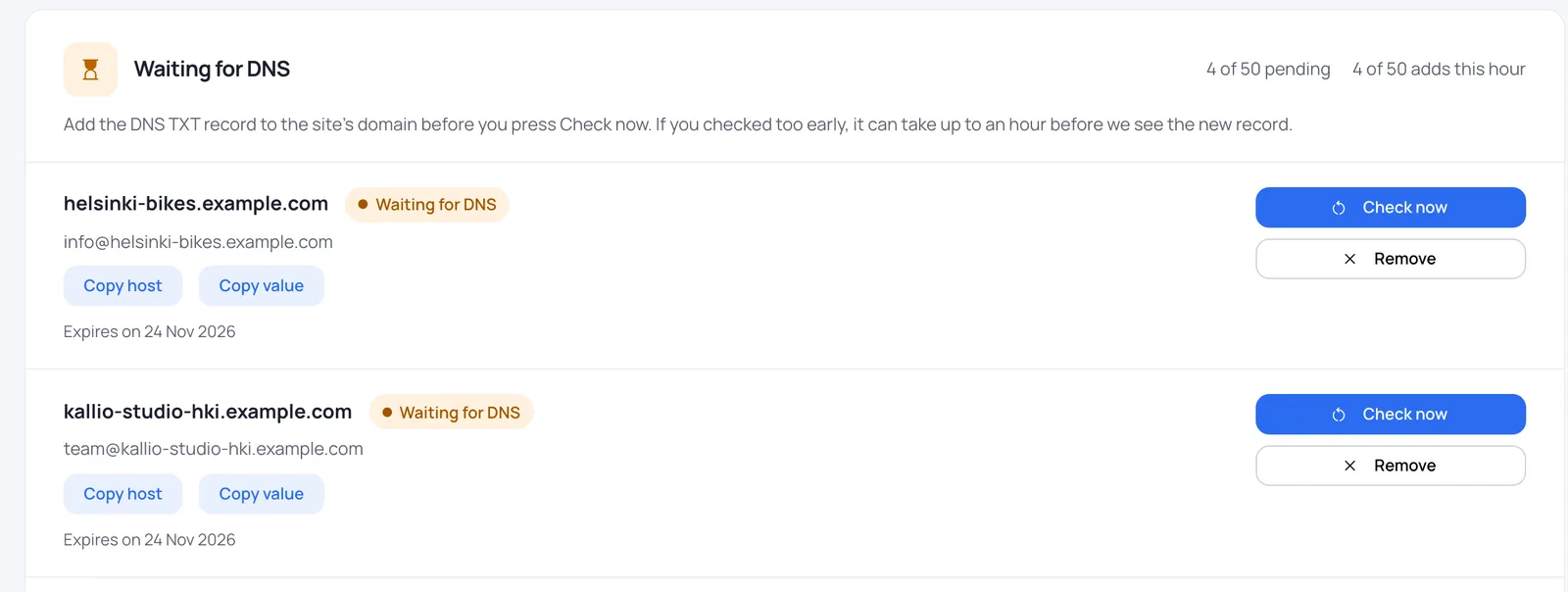
Each site you added shows under "Waiting for DNS" on the Customers page, with its own TXT record.
- Host: _cookiepal-verify. followed by the domain, for example _cookiepal-verify.nordicbakery.example.com. We always use the domain without www.
- Value: cookiepal-verify= followed by a code made for this site only.
Click "Copy host" and "Copy value" to copy each part.
Add the Record at Your DNS Provider
Sign in where the domain's DNS is managed. That is usually the registrar where the domain was bought, the hosting company or a DNS service. If your customer manages it, send them the record.
Add one new record per site, for example:
- Type: TXT
- Name or Host: _cookiepal-verify
- Value or Content: cookiepal-verify=7d2f0c9a41b84e6f9c3a5b1e8d7f2a60
- TTL: leave the default
Most providers add the domain to the name for you. If yours asks for the full name, paste the whole host. Leave any other TXT records on the domain as they are.
Press Check Now
Add the record at your DNS provider before you click "Check now" on the site. If we can't find the record, check that the host and value match exactly. If we checked before you added it, it can take up to an hour before we see it.
You can check each site once every 5 minutes. The button shows "Try again in" with a countdown until the next check.

After the Check Passes
When we find the record, we create the customer's CookiePal account and send one invite email to the address you gave. Your customer gets no email from us before this.
The site then moves to the list on the Customers page, where you can open the account and set up the banner. See Open a Customer's Account and Install the Banner.
Expiry and Limits
Each site waits for its record for 7 days. The date shows under the record, after "Expires on". After that the record no longer works and the site leaves the list. Add it again to get a new record.
You can have up to 50 sites waiting for DNS and add up to 50 sites an hour. The counters at the top of the list show where you are, for example "4 of 50 pending" and "4 of 50 adds this hour".
Remove a Site
Mistyped a website or email, or a site that will never get its record? Click "Remove" next to it and confirm. The site leaves the list.
You can add a removed site again, and it gets a new record. Removing a site does not give back the add, so it still counts towards your 50 adds an hour.

Claimed by the Owner
If the website's owner signs up to CookiePal and adds the site before your check passes, the owner keeps it. The site then shows "Claimed by the owner, please contact them" and can no longer be verified.
Ask the owner to link the site to your agency with your partner code. See Link Customers With Your Partner Code.
Any Questions Left?
Feel free to contact us and we will answer all of yours remaining questions!
Contact Us