

Agencies
Add your customers and manage them from the agency dashboard.
Your Next Invoice and the Earnings Calculator
Read your invoice breakdown and try your own numbers.
Table of contents
back
to the top
Open Earnings and Billing
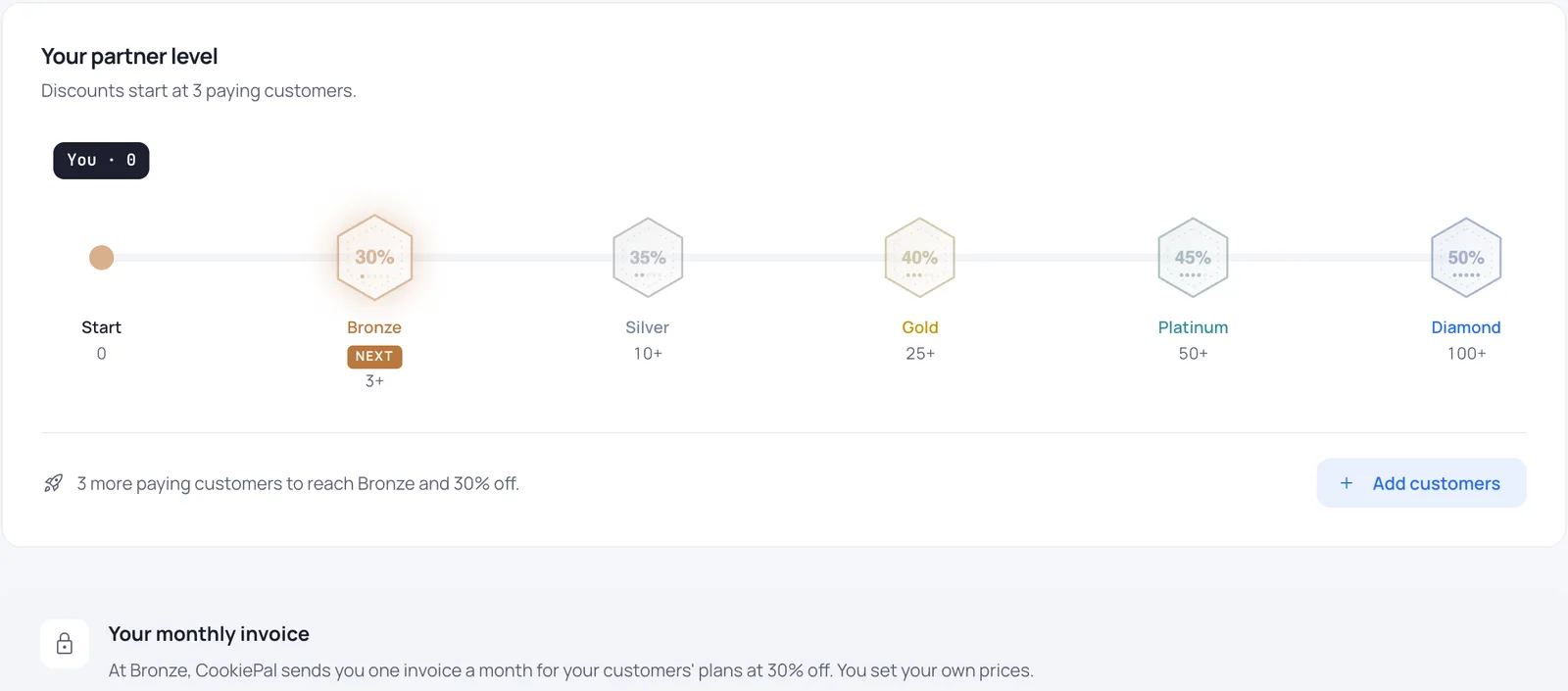
Open "Earnings and billing" in the sidebar. Until you reach Bronze, the invoice is locked and the page tells you how many more paying customers you need. At Bronze, CookiePal sends you one invoice a month for your customers' plans at your level's discount, and you set your own prices.
Read Your Next Invoice
From Bronze up, the "Your next invoice" card lists your customers' plans at list price, for example "4 × Growth", with the price on the same line. Below the plans you see "Plans at list price", your partner discount and the "Next invoice" total.
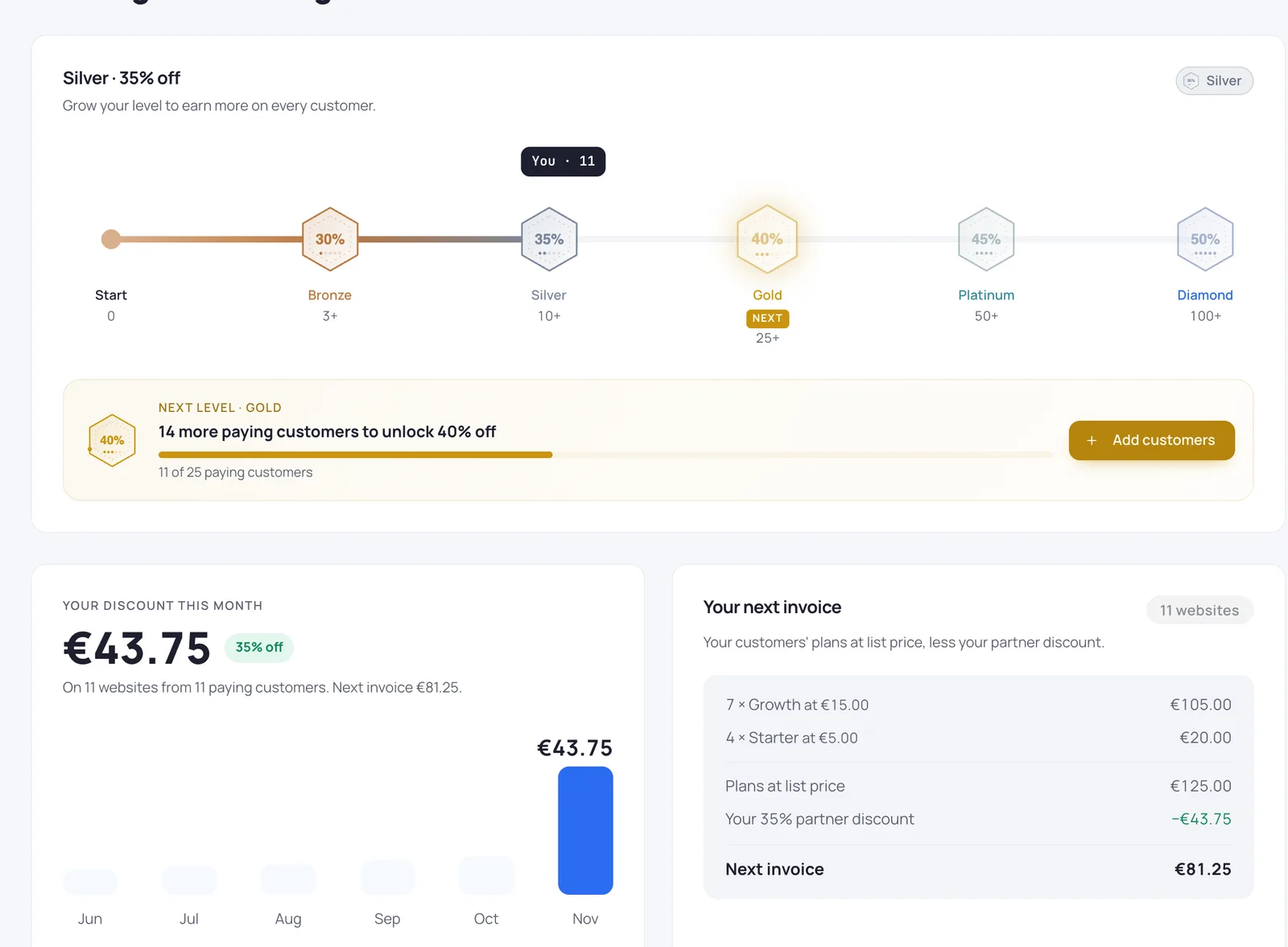
The "Your discount this month" card next to it shows the discount in euros and the percentage of your level.
Open the Earnings Calculator
Click "Open the earnings calculator" near the bottom of the page. It works on your own numbers, so nothing in it changes your account.
Try Your Own Numbers
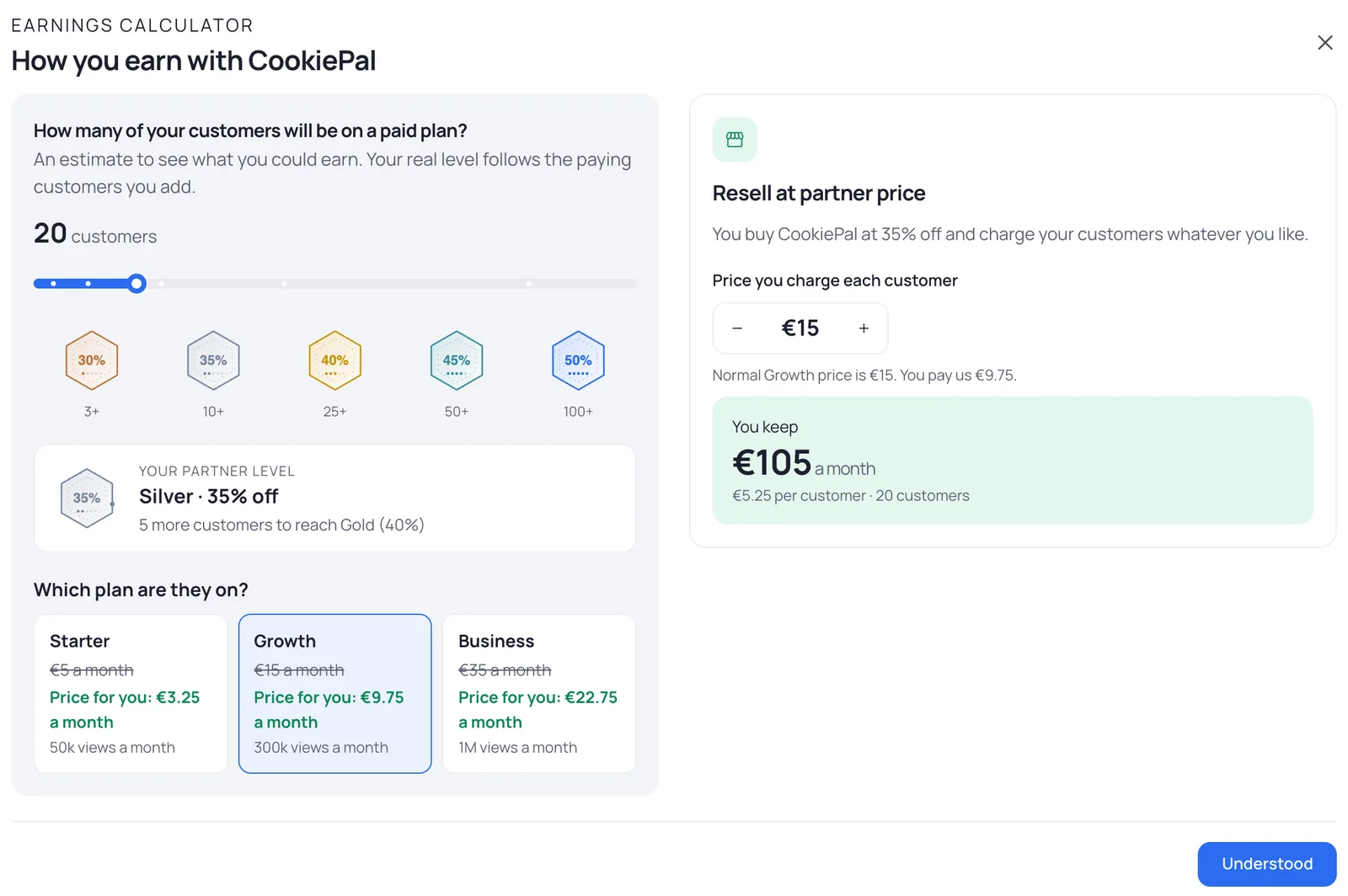
Move the slider to the number of customers you expect on a paid plan. The calculator shows the level that number gives you.
Choose the plan they are on: Starter, Growth or Business. From Bronze up, each plan also shows your price after the discount.
Set the price you charge each customer. The calculator shows the normal price, what you pay CookiePal and what you keep a month.
Questions Agencies Ask
The bottom of the page answers four common questions: how you pay CookiePal, what counts as a paying customer, what happens if you drop below a level and whether you can cancel. To cancel, contact support@cookiepal.io.
Any Questions Left?
Feel free to contact us and we will answer all of yours remaining questions!
Contact Us