

Agencies
Add your customers and manage them from the agency dashboard.
Change a Customer's Plan
Move a customer's site to another plan from the Customers page.
Table of contents
back
to the top
Open the Plan Window
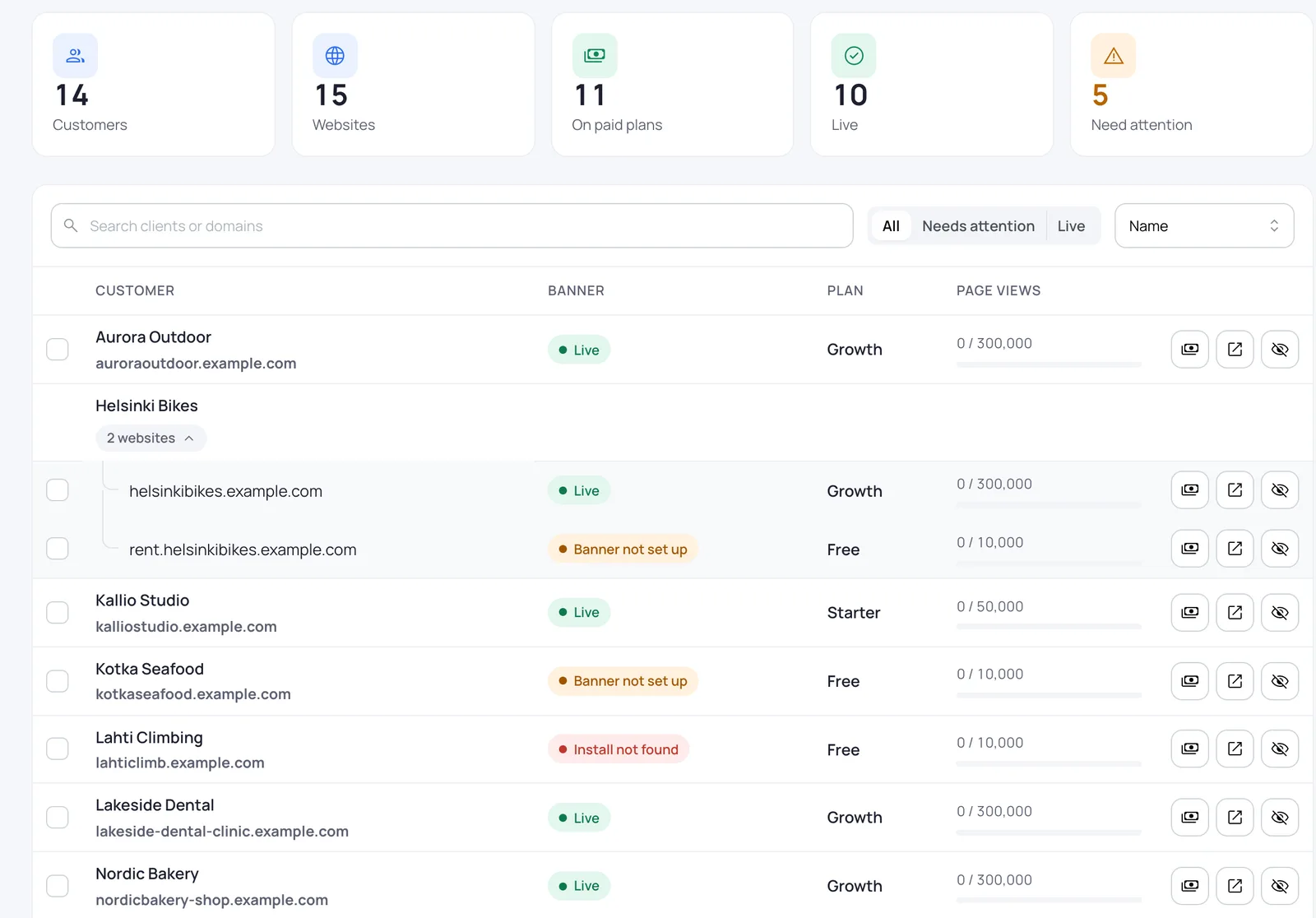
Open "Customers" in the sidebar and click the change plan button at the end of the site's row.
Choose the New Plan
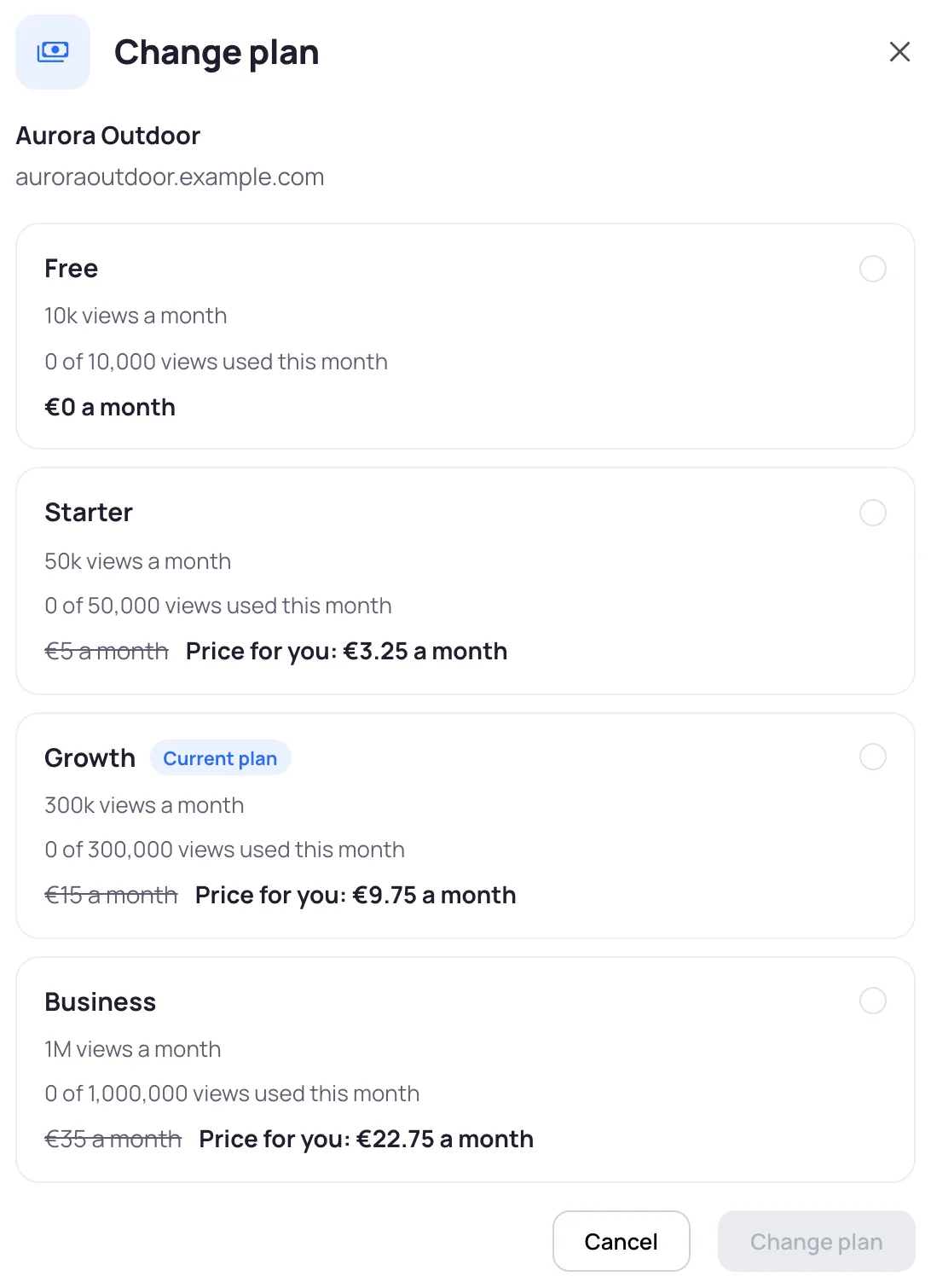
The window lists Free, Starter, Growth and Business. Your current plan is marked "Current plan". Each paid plan shows "Price for you", which is the list price after your partner discount.
Check the Page Views
The window shows how many of the plan's page views the site has used this month, for example "12,000 of 50,000 views used this month". If the site is over the limit of a plan, the window says so.
Free is not available when the site has more views this month than the Free limit.
Mind Your Level
Moving a paying customer to Free can lower your paying customer count, and so your partner level. The window warns you before you confirm. See Partner Levels and Discounts.
Confirm the Change
Click "Change plan". The window confirms with "Plan changed for" and the site's domain.
Any Questions Left?
Feel free to contact us and we will answer all of yours remaining questions!
Contact Us