

Instalación
Instrucciones de instalación y configuración
Cómo añadir un banner de cookies en un sitio web React
En esta guía te mostraremos la instalación de CookiePal en un sitio web React
Índice
Volver
Volver arriba
CookiePal te ayuda a garantizar que tu aplicación React cumpla con el GDPR, CCPA, LGPD y otras leyes de privacidad mediante la gestión del consentimiento de cookies de los usuarios. Esta guía te guiará por los pasos para integrar CookiePal con tu aplicación React.
Iniciar sesión en CookiePal
Ve a CookiePal e inicia sesión en tu cuenta.
Obtén el código de instalación
En el dashboard de CookiePal, haz clic en el icono del archivo HTML para obtener el código de instalación. Consulta el gif a continuación para ver instrucciones detalladas sobre cómo hacerlo.
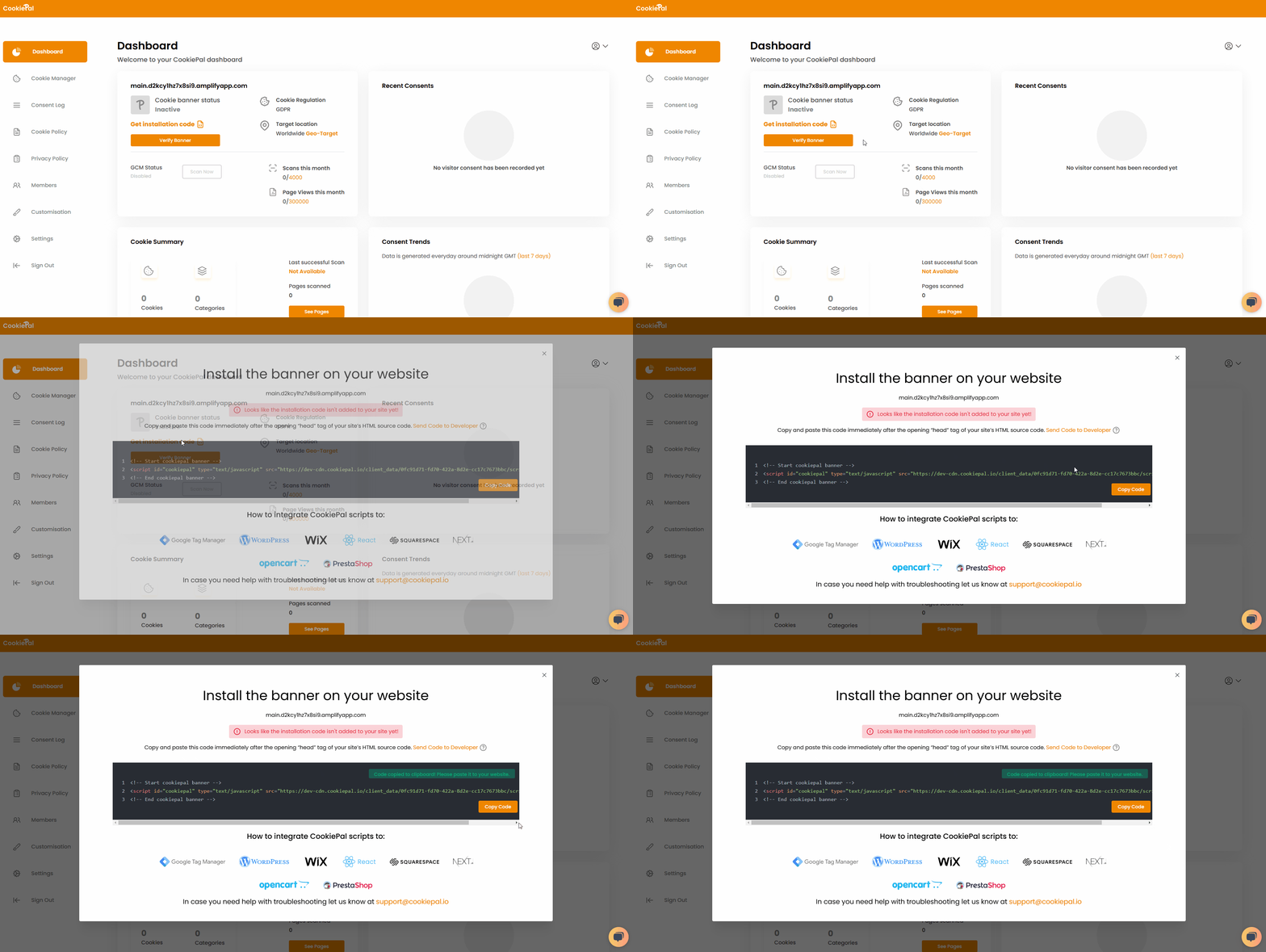
Copia el código del script generado en el portapapeles.
Añade el script CookiePal a tu aplicación React
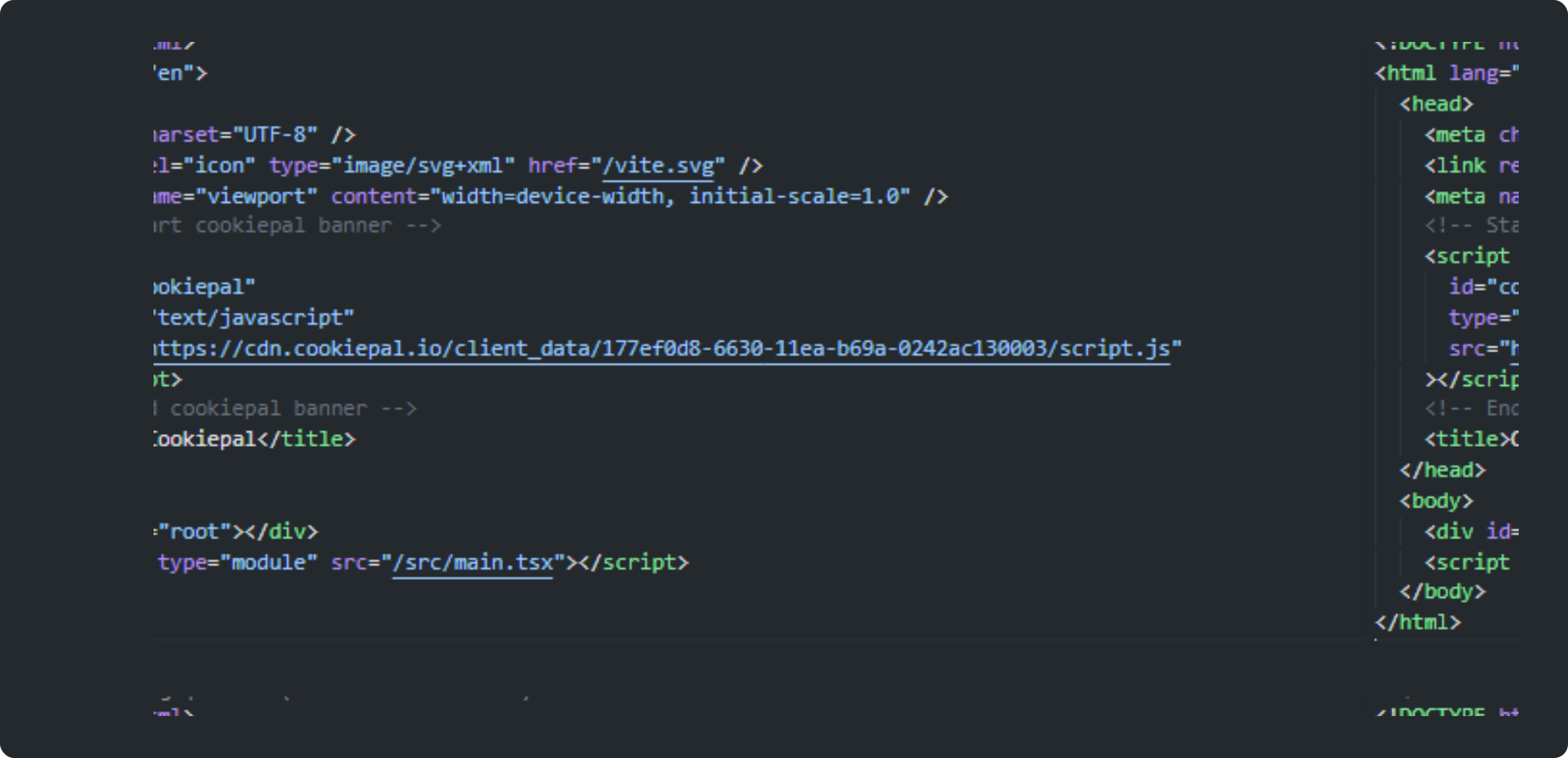
Abre tu aplicación React y busca el archivo public/index.html.
Pega el código del script CookiePal que copiaste anteriormente en la sección <head> del archivo index.html.
Inicializa CookiePal en tu aplicación React
Guarda los cambios con tu herramienta de gestión de código preferida.
Despliega esta nueva versión de tu sitio web usando tus métodos y automatización preferidos.
Verifica el banner de cookies
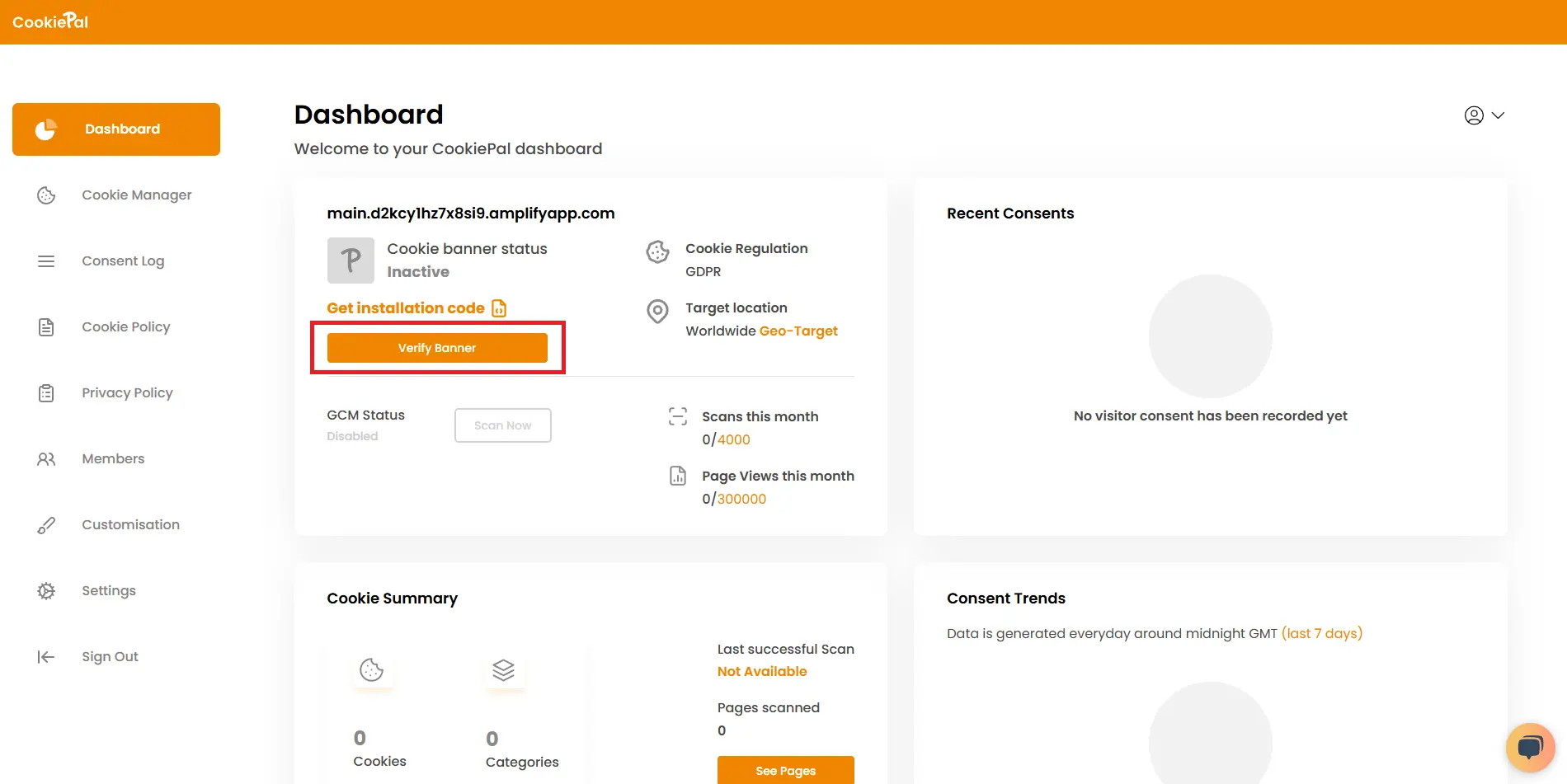
Verificar banner: vuelve al dashboard de CookiePal y comprueba que el banner de cookies esté activo en tu sitio web. El estado debería cambiar a "Activo".
Prueba de implementación: visita tu sitio web para asegurarte de que el banner de consentimiento de cookies aparezca correctamente y de que las cookies estén bloqueadas hasta que el usuario dé su consentimiento.