

Cookie Consent for Membership Websites, Portals, and Login Areas
August 11, 2026
•

10 min read
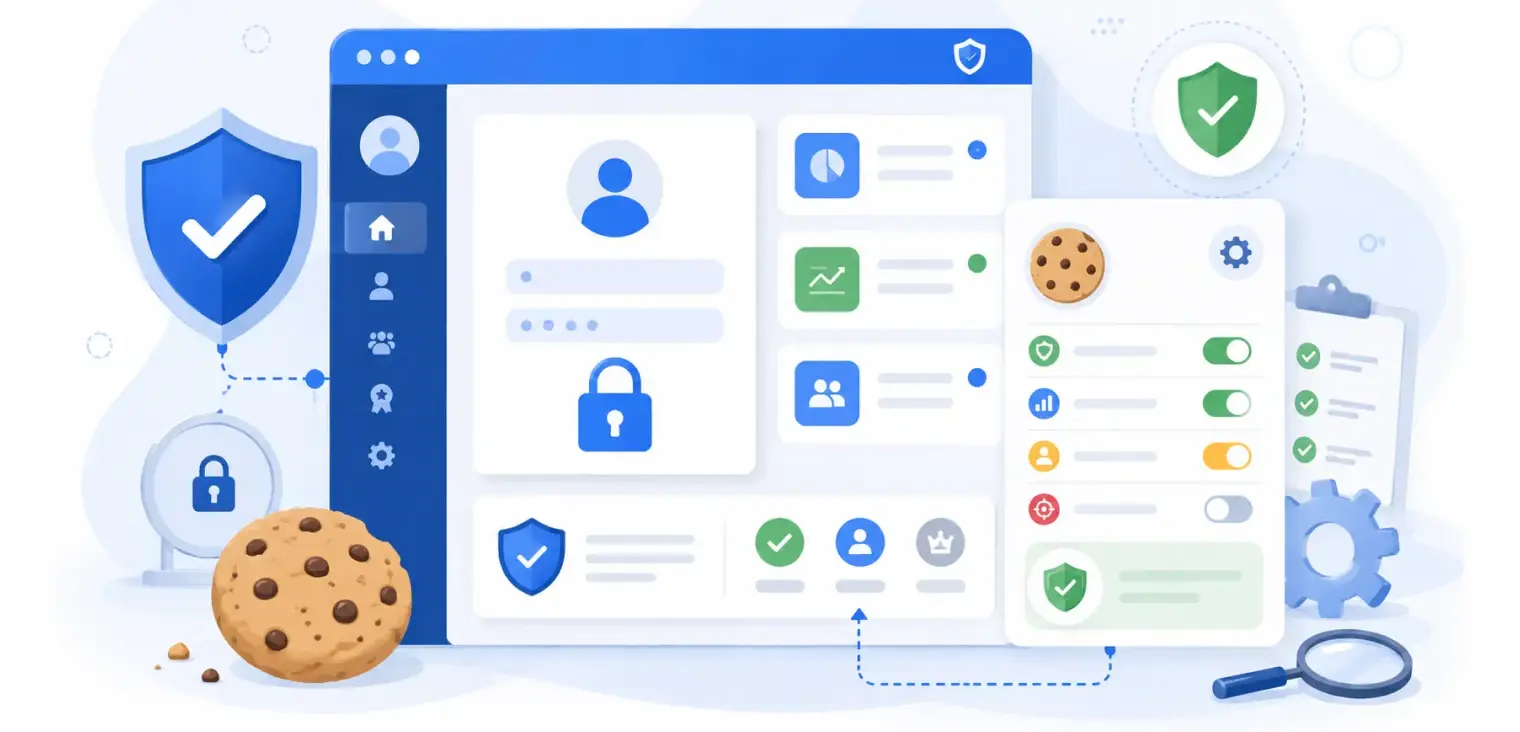
Table of contents
back
to the top
Cookie Consent for Membership Websites, Portals, and Login Areas
Cookie consent becomes more complicated when a website has a login area.
A simple marketing website usually has one main consent question: which cookies and trackers are used when someone visits public pages? Membership websites, customer portals, learning platforms, account dashboards, SaaS apps, and gated communities are different. They often combine public marketing pages with private logged-in areas, user accounts, payment flows, saved preferences, analytics, support tools, and personalised content.
That makes the cookie consent setup harder to manage.
Some cookies may be strictly necessary because they keep users logged in, protect the account, remember security settings, or make the portal work. Others may support analytics, product improvement, personalisation, advertising, or third-party integrations. The challenge is knowing the difference and explaining it clearly.
A login area does not remove the need for cookie consent. It changes how cookie consent should be planned.
This guide explains what membership websites, portals, and login areas need to think about when setting up cookie consent, how necessary cookies should be treated, where optional tracking can create risk, and how CookiePal can help manage consent across public and private parts of a website.
Why Login Areas Need a Different Cookie Consent Approach
A logged-out visitor and a logged-in user are not in the same situation.
A logged-out visitor may be browsing a homepage, pricing page, blog article, landing page, or sign-up form. The website may use analytics, advertising pixels, embedded content, and conversion tracking.
A logged-in user may be inside an account area, member dashboard, learning portal, billing page, support centre, or product interface. The website may use authentication cookies, session cookies, security cookies, preference cookies, analytics events, feature flags, chat tools, and product usage tracking.
These cookies do different jobs.
Some cookies are needed to provide the service the user has requested. For example, a session cookie may keep a user signed in while they move between pages. A security cookie may help prevent account abuse. A consent cookie may remember the user's cookie choices.
Other cookies may be optional. Analytics tools, marketing pixels, heatmaps, embedded video trackers, and personalisation tools may need consent depending on where users are located and how the data is used.
A CookiePal compliance scanner can help identify what cookies and trackers are active across the website. For membership sites and portals, scanning should include more than just the homepage. Public pages, sign-up pages, payment flows, and logged-in areas can all behave differently.
Necessary Cookies Are Not the Same as "Everything Behind Login"
One common mistake is assuming that everything inside a login area is automatically necessary.
That is not true.
Some cookies are necessary because the service cannot work properly without them. These may include cookies that:
- keep users logged in;
- protect accounts from suspicious activity;
- remember consent choices;
- maintain items in a basket or checkout flow;
- route traffic securely;
- support payment or account security;
- prevent repeated login prompts during a session.
But a logged-in area can also include optional tools. For example, a portal may use product analytics to measure feature usage, a chat widget for support, an embedded video player for tutorials, a survey tool for feedback, or a marketing pixel to build audiences.
Those tools may be useful, but that does not automatically make them strictly necessary.
Cookie descriptions should explain the difference clearly. A necessary cookie might say, "This cookie keeps you signed in while you move around the portal." An analytics cookie might say, "This cookie helps us understand how members use the dashboard so we can improve the service."
CookiePal's cookie policy generator can help create a clearer cookie policy that explains cookie categories, purposes, and durations in a structured way.
Public Pages and Private Areas May Use Different Cookies
Many membership websites have two different environments: the public site and the logged-in product or portal.
The public site may use Google Analytics, Google Ads, Meta Pixel, LinkedIn Insight Tag, newsletter forms, video embeds, and retargeting tools. Its purpose is usually marketing, education, sign-up, or conversion.
The private area may use authentication, account settings, product analytics, helpdesk widgets, payment tools, learning progress tracking, member preferences, or internal notifications.
Because these areas serve different purposes, they may use different cookies.
This matters for consent because a cookie banner configured only around public pages may miss what happens after login. A cookie policy written only from the marketing site may fail to describe tools used inside the portal. A consent setup tested only on the homepage may not reflect the full user experience.
When reviewing cookie consent for a membership website, test several journeys:
- A new visitor landing on the homepage.
- A visitor reading content before signing up.
- A user creating an account.
- A user logging in.
- A user moving through the dashboard or portal.
- A user changing cookie preferences.
- A user logging out and returning later.
This helps reveal whether the consent banner, cookie categories, and cookie blocking behaviour are consistent across the full experience.
Login Does Not Replace Cookie Consent
Some teams assume that because a user has created an account, consent for cookies can be handled inside the terms of service or account agreement.
That can be risky.
Accepting terms and choosing cookie preferences are not always the same thing. A user may need certain cookies for the account to work, but that does not mean they have agreed to optional analytics, advertising, or personalisation cookies.
Cookie consent should remain clear and accessible. Users should be able to understand which cookies are necessary for the service and which are optional. They should also be able to change their preferences later where appropriate.
This is especially important for SaaS products, learning platforms, gated content websites, ecommerce accounts, paid communities, and customer portals. These websites often have long-term relationships with users. A confusing consent experience can damage trust over time.
CookiePal's consent management platform supports consent banners, cookie scanning, auto-blocking, consent records, and recurring scans. That helps businesses manage consent as the website changes, rather than treating it as a one-time banner installation.
Be Careful With Analytics Inside Portals
Analytics inside a logged-in area can be very useful.
Product teams may want to know which features are used, where users get stuck, which dashboard pages are ignored, and where account activity drops off. Support teams may want to understand common journeys before a ticket is opened. Marketing teams may want to identify active users, upgrade opportunities, or churn signals.
Those insights can improve the product. But they can also involve more sensitive usage data than basic public website analytics.
There is a difference between measuring anonymous page views on a blog and tracking how a logged-in user behaves inside an account area. Inside a portal, analytics may be linked to an account, subscription, organisation, role, learning progress, transaction, or support history.
That does not mean product analytics should never be used. It means the purpose, category, consent basis, and description should be reviewed carefully.
Use clear wording. Do not describe product analytics as "necessary" unless it is genuinely required to provide the service. If analytics is used to improve features, say that. If it is used to personalise the experience, say that. If it is linked to an account, make sure the wider privacy notice explains how user data is handled.
CookiePal's privacy policy generator can help create a privacy policy that explains how personal information is collected and used across a website or portal.
Consent Preferences Should Be Easy to Find After Login
Cookie consent is not only about the first visit.
Users should be able to change their preferences later. This becomes even more important in membership websites and portals, where users may return many times.
A consent preference link should be easy to find. Common locations include the website footer, account settings, privacy settings, or a dedicated "Cookie preferences" link inside the user menu.
Do not hide preference controls only on the public homepage if users spend most of their time inside the portal. A member should not have to log out or search through old banners to change their choice.
For desktop users, a footer or account settings link may be enough. For mobile portal users, preference controls may need to sit in the account menu or privacy area so they are still accessible on smaller screens.
CookiePal's banner customisation options can help match the consent experience to your website design while keeping choices available and understandable.
Watch Out for Third-Party Tools Behind Login
Logged-in areas often include third-party services that are easy to forget.
These may include:
- helpdesk chat widgets;
- onboarding tools;
- video training platforms;
- payment processors;
- customer survey tools;
- scheduling widgets;
- document viewers;
- community tools;
- analytics and session recording tools;
- embedded support content.
Some third-party tools are part of delivering the service. Others are optional or used for improvement, support, or marketing. The cookie category should reflect the actual purpose.
For example, a payment-related cookie used to complete a transaction may be necessary. A survey widget used to collect optional feedback may not be. A video player used inside a paid course may be part of the service, but it may still load third-party cookies that need to be disclosed and managed properly.
The safest practical step is to review every third-party script and embed inside the logged-in area. Then make sure the cookie banner, cookie policy, and privacy policy match what is really happening.
Google Consent Mode for Membership Websites
Many membership websites still rely on Google tools for acquisition and measurement. Google Ads may drive sign-ups. GA4 may measure public landing pages. Google Tag Manager may manage conversion tags. Some sites may track free-trial starts, paid subscriptions, demo requests, upgrades, or lead forms.
Google Consent Mode v2 helps supported Google tags adjust based on a visitor's consent choices. This is especially useful when a website has both public marketing pages and account-related conversion flows.
For example, a user may arrive through a paid ad, reject marketing cookies, create an account, and later upgrade. Another user may accept analytics cookies, browse several public pages, and sign up after reading a case study. Consent Mode helps Google tags behave according to the consent signals available.
However, Consent Mode does not remove the need for a clear cookie banner or accurate cookie categories. It should be connected to a proper consent management setup, not treated as a standalone fix.
Common Mistakes on Membership Websites and Portals
Membership websites often make the same cookie consent mistakes:
- scanning only the public homepage;
- assuming all logged-in cookies are necessary;
- hiding cookie preferences after login;
- using analytics inside the portal without clear wording;
- forgetting third-party support, video, payment, or chat tools;
- using one generic cookie description for everything;
- failing to update the cookie policy after product changes;
- letting marketing pixels run on logged-in pages without review;
- treating account terms as a replacement for cookie consent.
Most of these issues happen because marketing, product, legal, and engineering teams each see only part of the journey. Cookie consent needs a joined-up view of the whole website.
A Practical Cookie Consent Checklist for Login Areas
Before launching or updating a membership website, portal, or login area, review the following:
- Scan public pages, sign-up flows, payment pages, and logged-in areas.
- Separate necessary cookies from analytics, preference, marketing, and third-party cookies.
- Make sure cookie descriptions explain the real purpose in plain language.
- Confirm non-essential cookies are blocked or adjusted before consent where required.
- Test the consent banner before login, after login, and after logout.
- Add an easy way for users to reopen cookie preferences.
- Review product analytics and session recording tools carefully.
- Update the cookie policy and privacy policy when tools change.
- Test mobile and desktop experiences separately.
- Keep consent records and run recurring scans.
This checklist does not need to slow product delivery. It simply makes cookie consent part of the release process.
Build Trust Into the Logged-In Experience
A membership website or portal is based on trust. Users create accounts, save preferences, submit information, make payments, consume content, or manage important activity inside the platform. Cookie consent should support that trust, not undermine it.
The best approach is not to show a banner once and forget about it. It is to understand which cookies are needed, which are optional, how they behave across public and private areas, and how users can control their choices over time.
Start with a free CookiePal website scan to understand what your website and portal are loading. Then use CookiePal to manage your consent banner, cookie auto-blocking, consent records, cookie policy, Google Consent Mode v2, and recurring scans as your membership website evolves.
Cookie consent for login areas does not need to be confusing. It just needs to be honest, consistent, and built around how users actually experience the site.
This article provides general information and is not legal advice. Privacy obligations depend on your website, data practices, service model, and the locations of your visitors.
Explore further
Do A/B Testing Tools Require Cookie Consent?
A/B tests can store IDs, share events and feed ad audiences. Learn when experiments need consent, when a narrow exemption may apply and how to run tests without ignoring privacy.
October 22, 2026
9 min
Cookies, Local Storage and Session Storage: What Is the Difference?
Cookies, local storage and session storage behave differently, but none is exempt from consent. Learn how each one works, which to use and how to review them in your consent process.
October 22, 2026
9 min
Does reCAPTCHA Require Cookie Consent?
reCAPTCHA can be exempt as necessary security, but not every setup is. Learn how to assess your reCAPTCHA version, audit its cookies and keep forms working when visitors say no.
October 15, 2026
7 min