

Instalação
Instruções de instalação e configuração
Como adicionar um banner de cookies em um site PrestaShop
Neste guia, mostraremos a instalação da CookiePal em um site PrestaShop
Table of contents
back
to the top
CookiePal helps you ensure your PrestaShop application complies with GDPR and other privacy laws by managing cookie consent for your users. This guide will walk you through the steps to integrate CookiePal with your PrestaShop application.
Create a CookiePal Account
If you do not yet have a CookiePal account or have not yet configured your banner, follow the steps below.
1. Sign up for CookiePal.

2. After confirming your email, you will be directed to the setup screen. Choose your setup option.
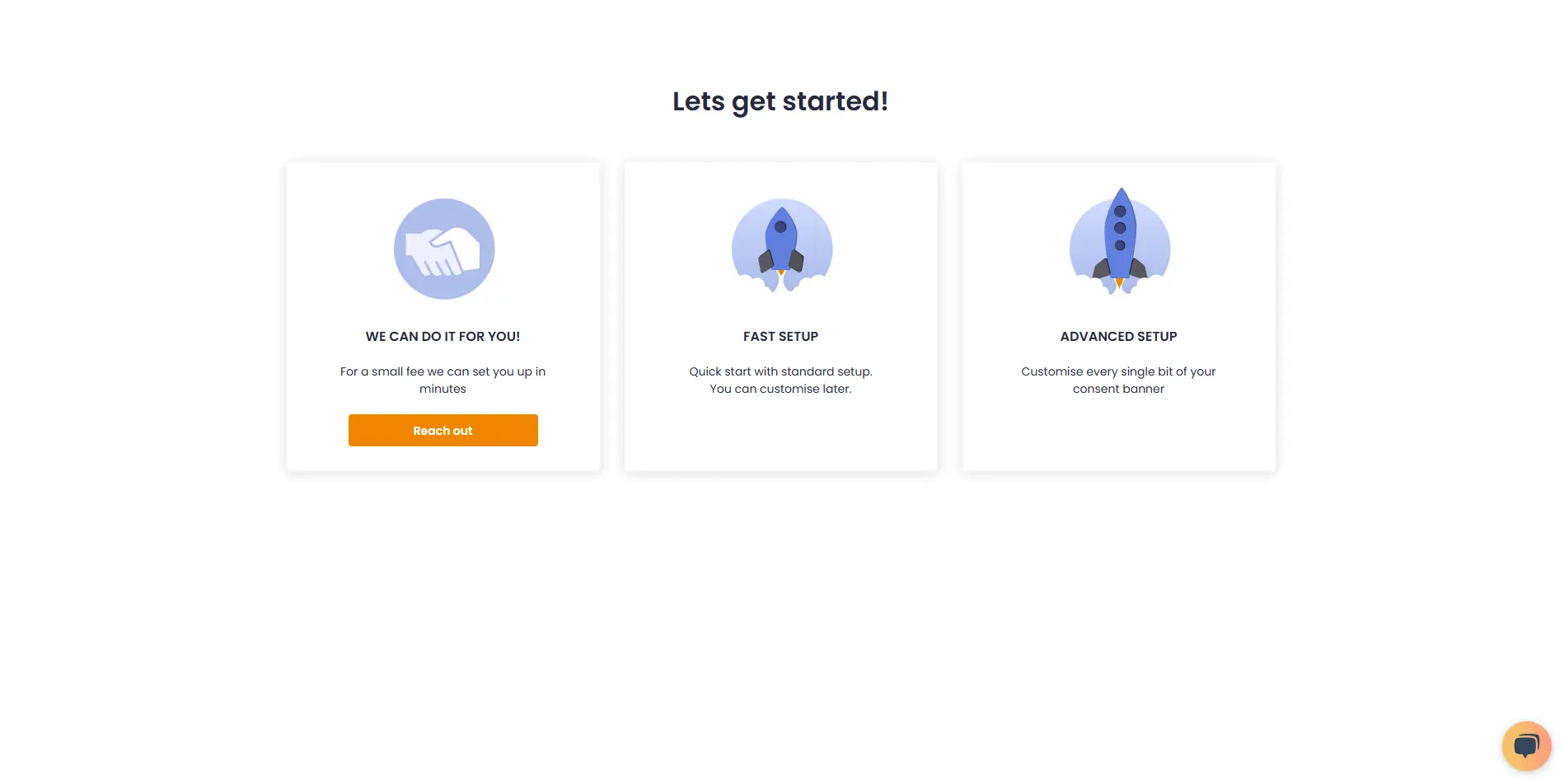
• We can do it for you!: Select this option to let our team handle the setup for a small fee.
![• [We can do it for you!:bold]: Select this option to let our team handle the setup for a small fee.](/_next/static/media/we-can-do-it-for-you.e1c36463.webp)
• Fast Setup: Quickly configure your banner by selecting its position and colors. You can still customise other details later in customisations.
![• [Fast Setup:bold]: Quickly configure your banner by selecting its position and colors. You can still customise other details later in [customisations:https://app.cookiepal.io/customisation].](/_next/static/media/customise-banner-colors-and-positions.5ac76d26.webp)
• Advanced Setup: Customise every detail of your banner. In addition to position and colors, you can edit the content and default language, and adjust the logo's colors and position.
![• [Advanced Setup:bold]: Customise every detail of your banner. In addition to position and colors, you can edit the content and default language, and adjust the logo's colors and position.](/_next/static/media/customise-banner-content.49d06789.webp)
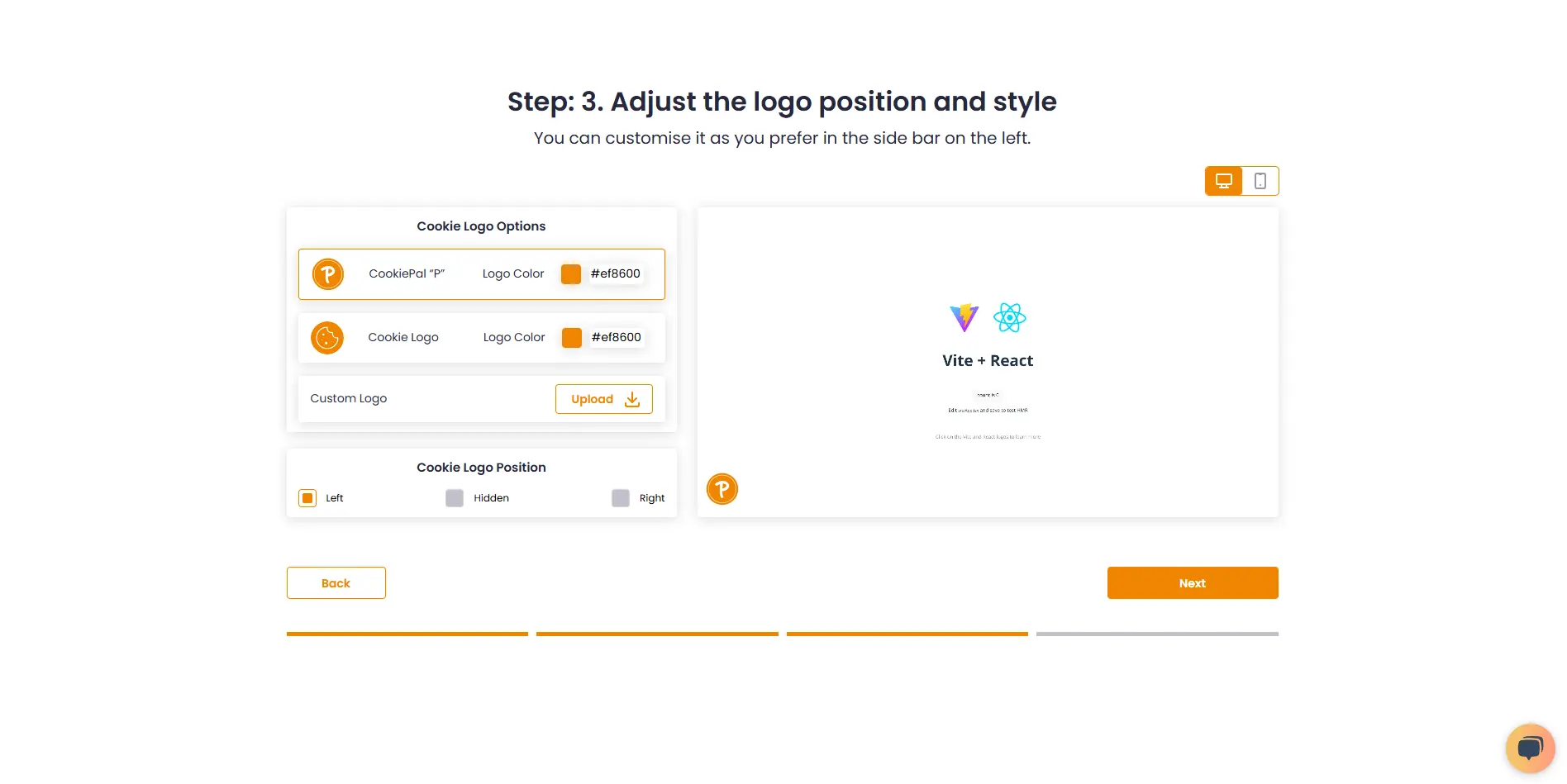
4. Choose your preferred installation method and complete the setup.
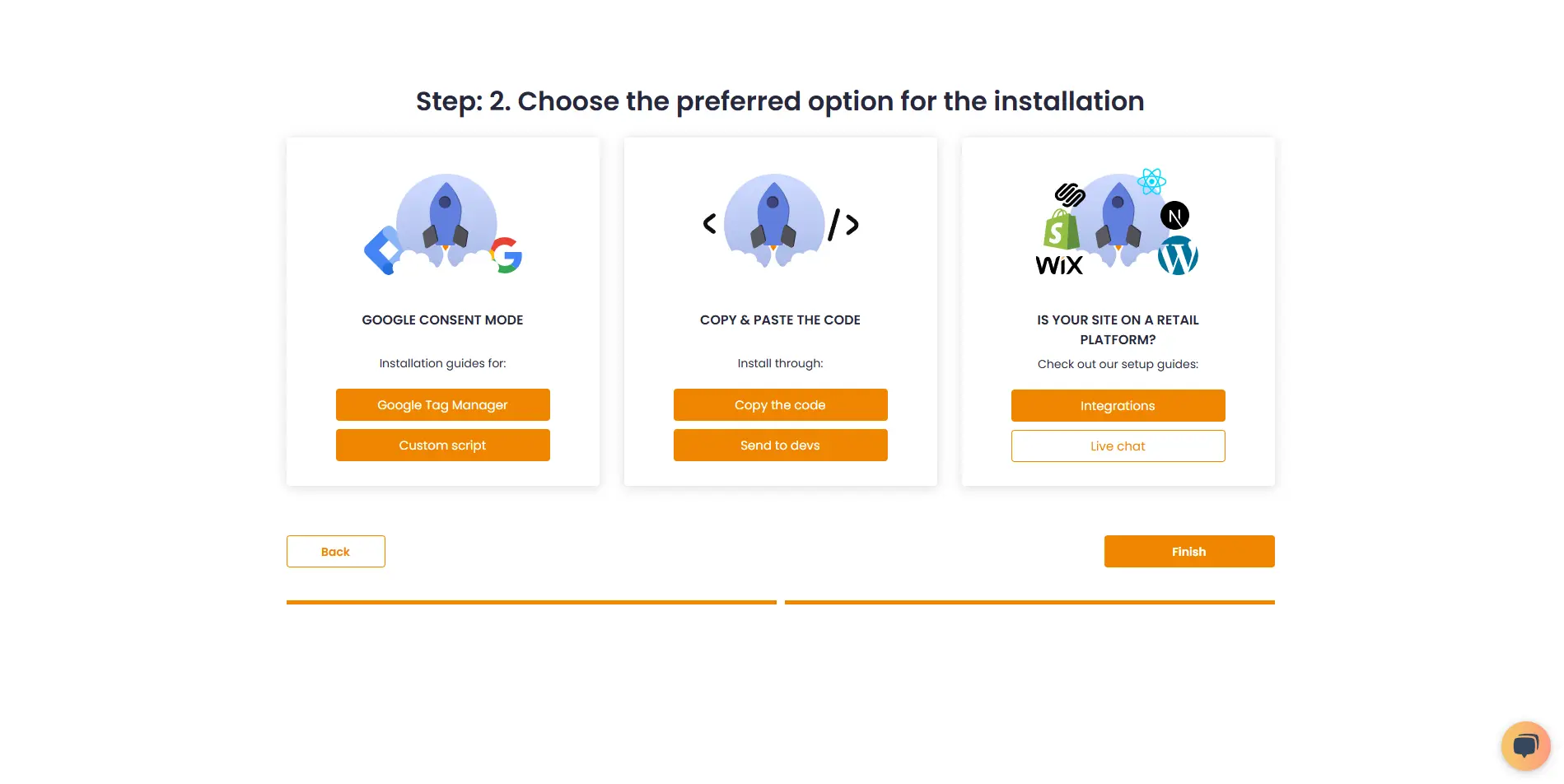
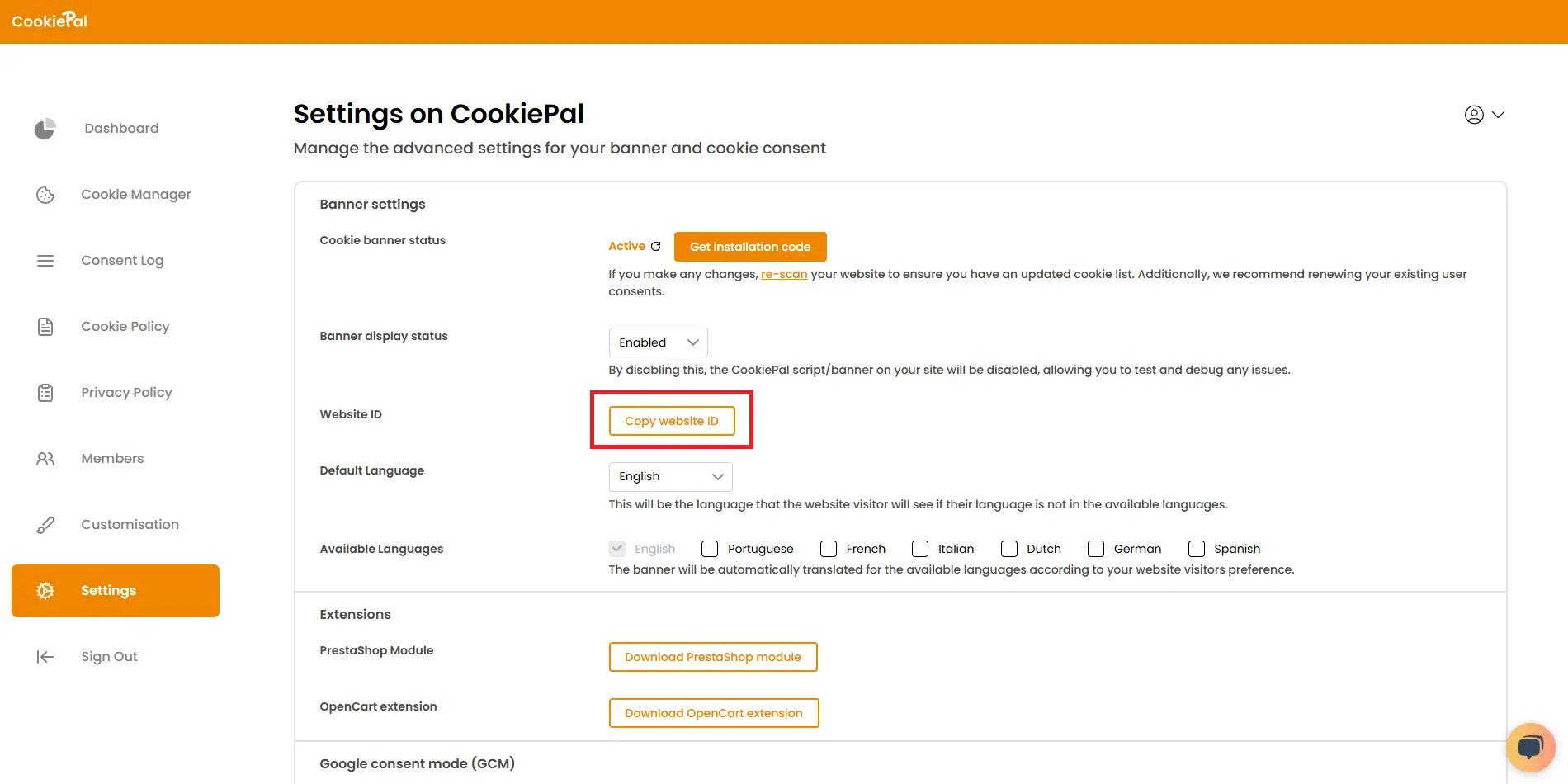
7. Go to "Settings".
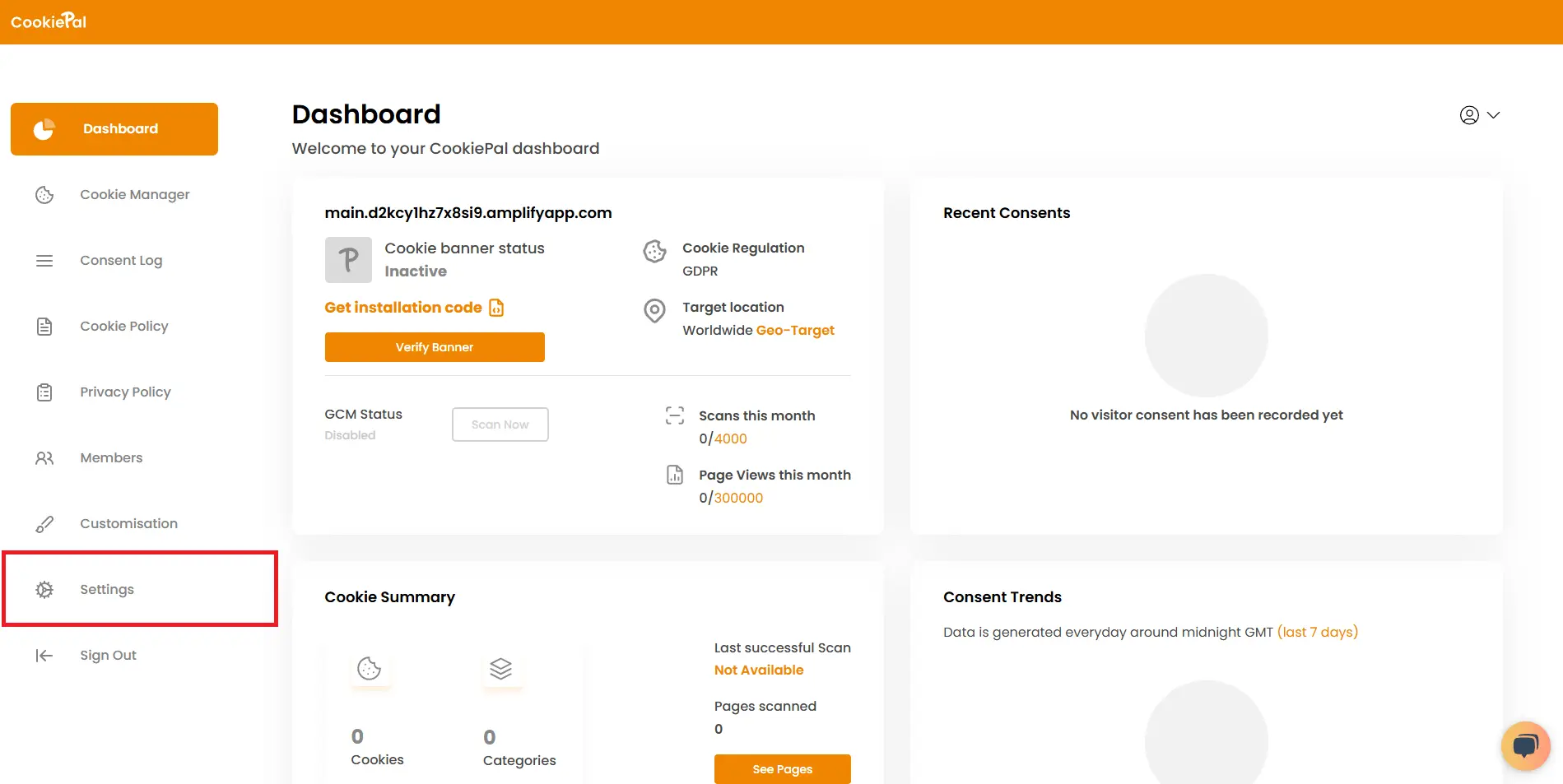
8. Copy your website ID.
Download the PrestaShop Module
In your CookiePal settings, download the PrestaShop module directly or use the Download PrestaShop Module link to begin.
![In your CookiePal settings, download the PrestaShop module directly or use the [Download PrestaShop Module link:https://cookiepal-assets.s3.us-east-1.amazonaws.com/cookiepal.zip] to begin.](/_next/static/media/download_prestashop_extension.cfc88d90.webp)
Set Up Your Module
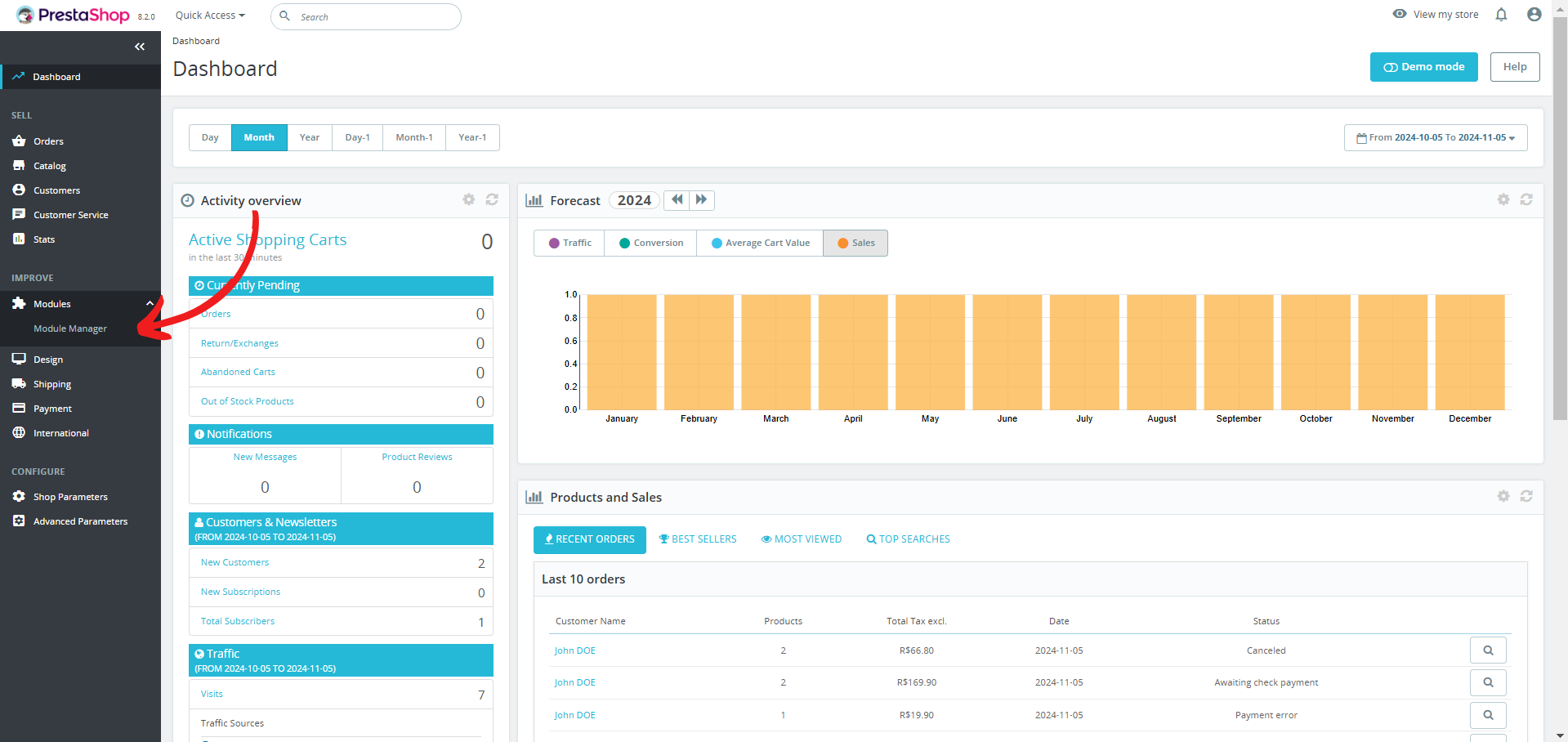
Navigate to Settings: In your PrestaShop dashboard, click on "Module Manager".
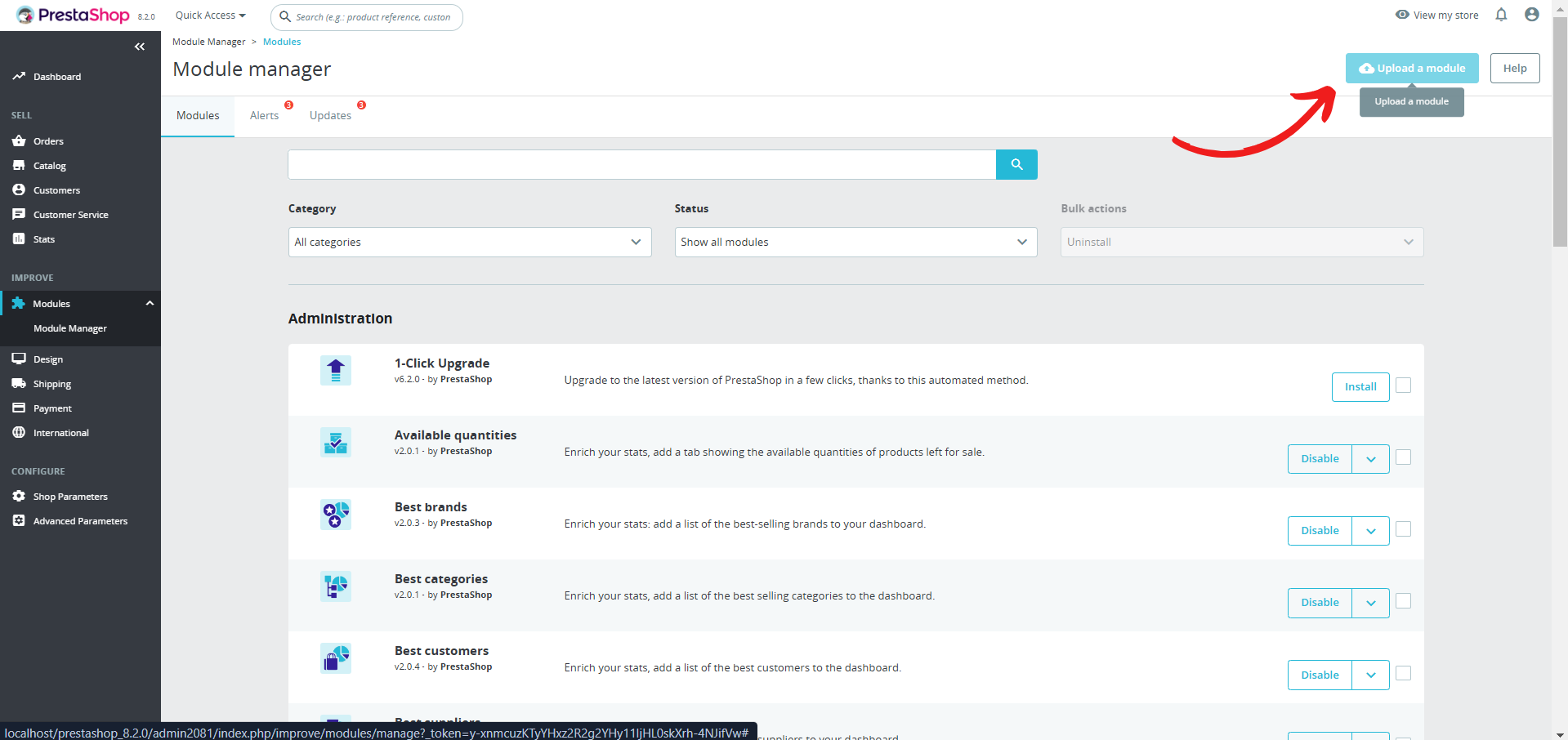
Upload CookiePal Module: Click "Upload Module".
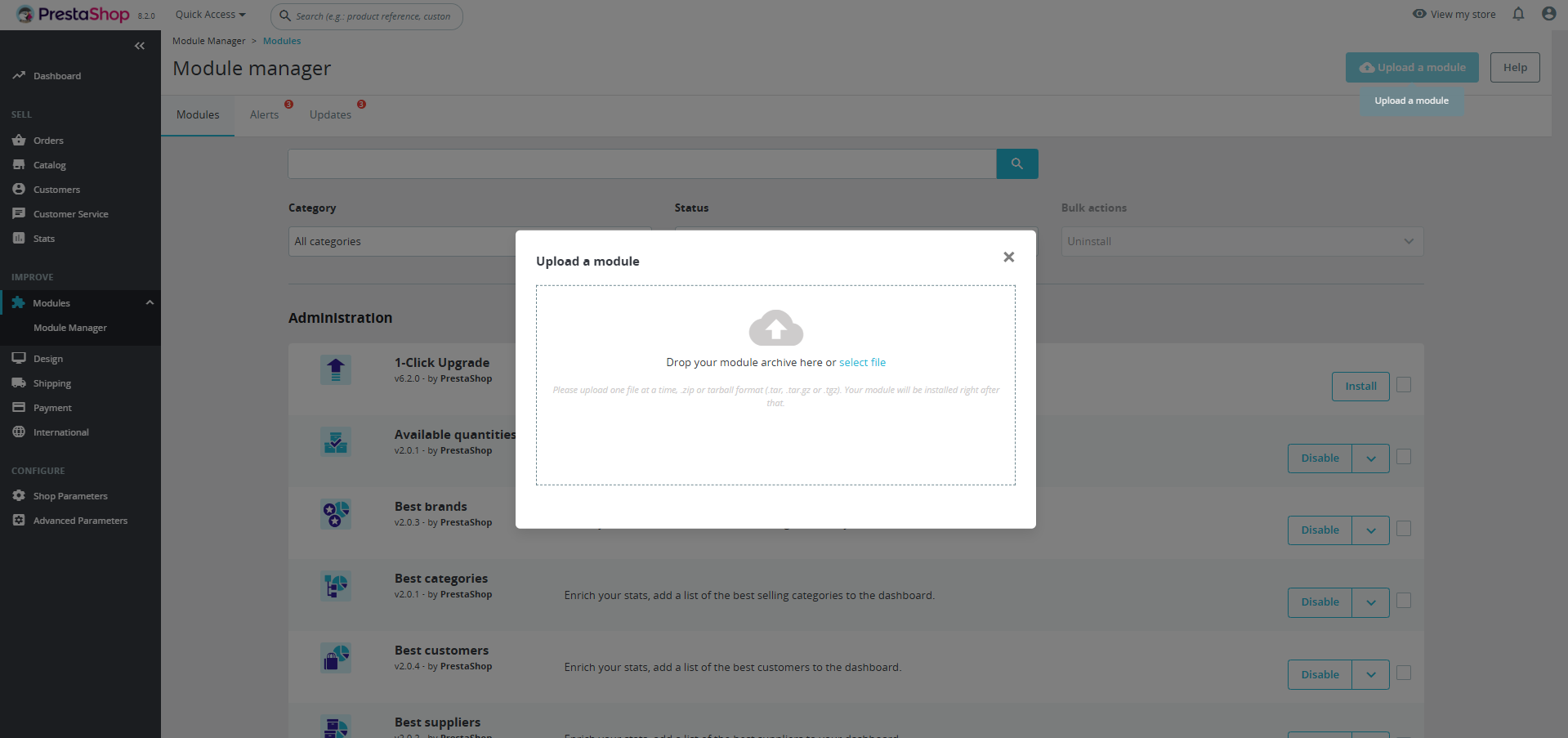
Drop Module: Drop the CookiePal module into the upload area.
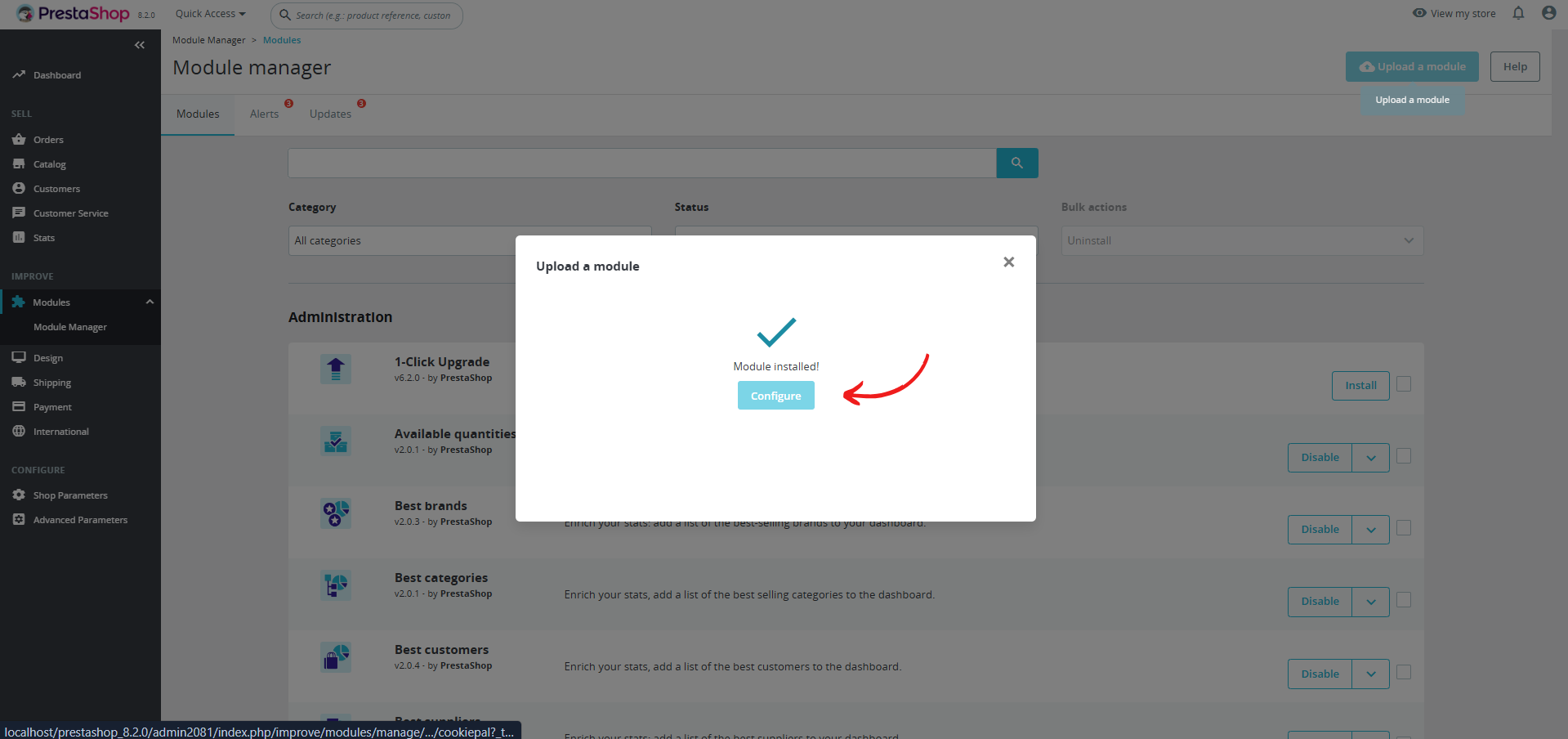
Configure Module: Click "Configure" to open the CookiePal module settings.
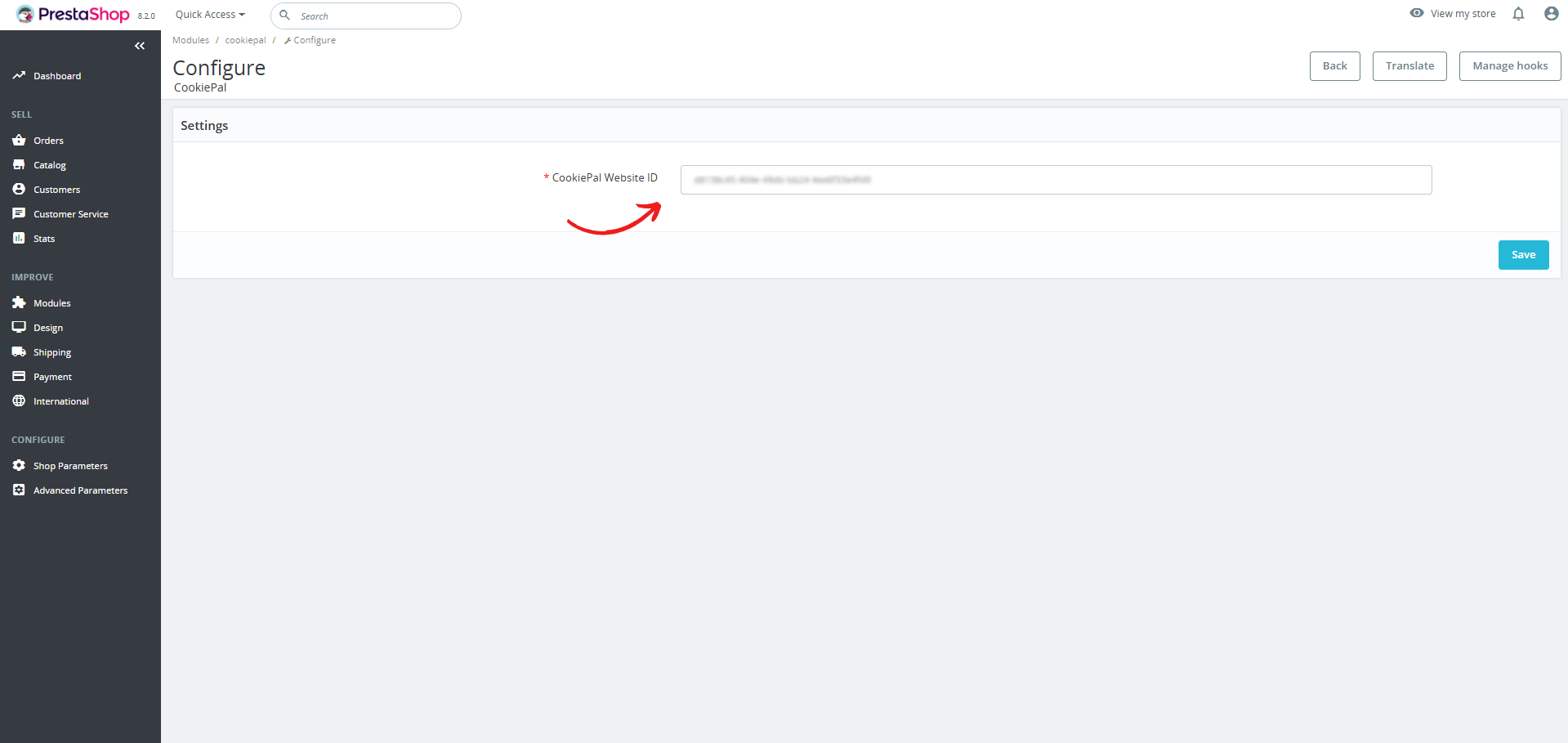
Website ID: Enter the website ID you copied in the first step.
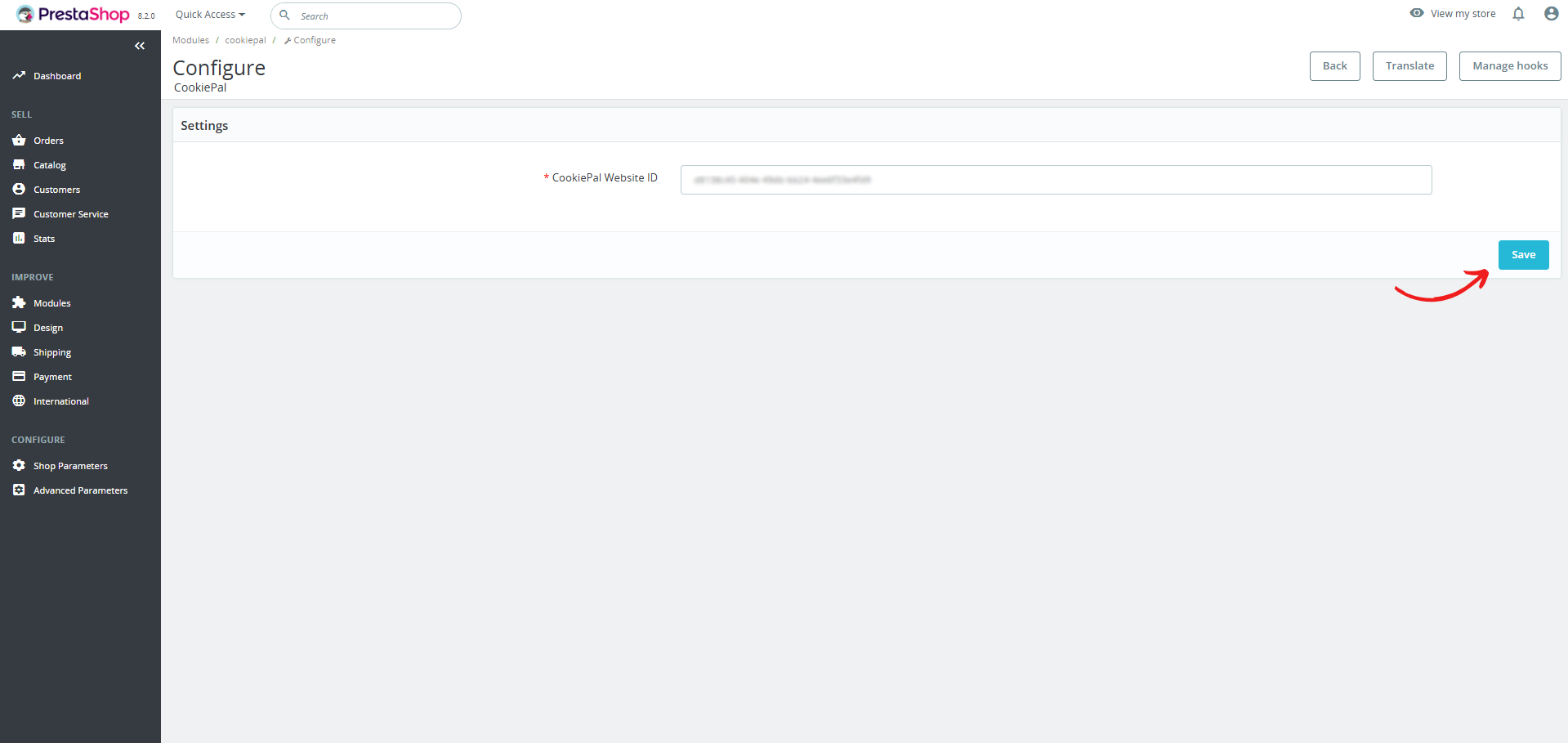
Save Settings: Click "Save" to complete your setup. The banner should now appear on your PrestaShop website.
Verify the Cookie Banner
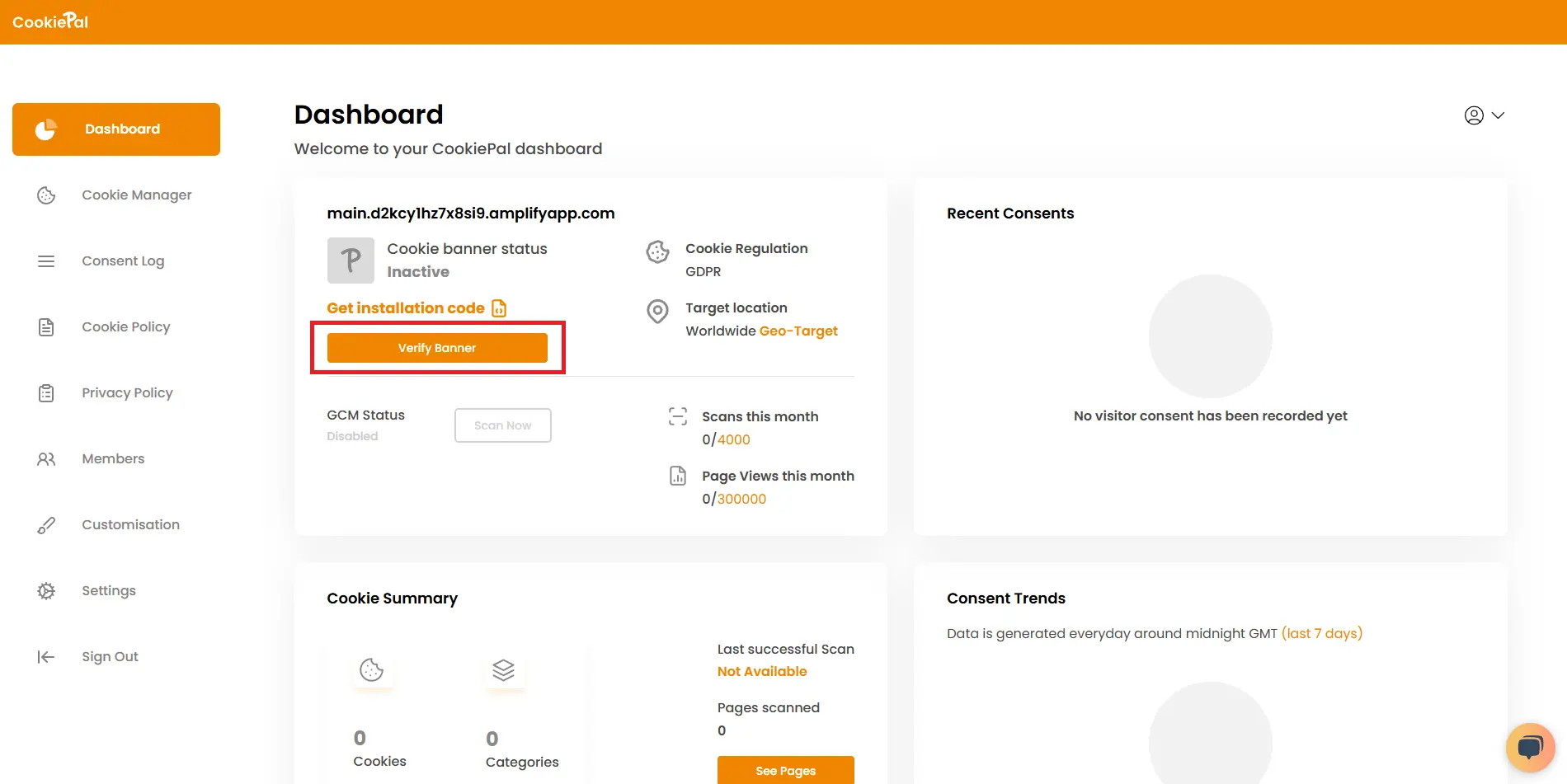
Verify Banner: Return to the CookiePal dashboard and check that the cookie banner is active on your website. The status should change to "Active".
Test Implementation: Visit your website to confirm that the cookie consent banner appears correctly and that cookies are blocked until user consent is given.