

Агенции
Добавяй и управлявай клиентите си от таблото за агенции.
Свържи клиенти с партньорския си код
Сподели партньорския си код, за да могат клиентите да свържат сайтовете си с твоята агенция.
Table of contents
back
to the top
Clients link their sites to your agency with your partner code. Once linked, you can open their CookiePal account and manage their banner from your dashboard.
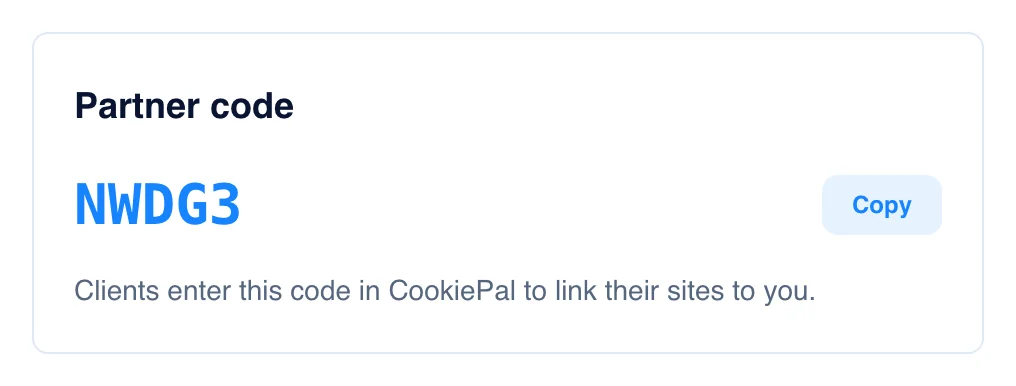
Copy Your Partner Code
Find the "Partner code" card on the "Home" page and click "Copy". Send the code to your client by email or chat. The "Earnings and billing" page in the sidebar shows the same code and the steps for linking, so you can point your team to it.
Your Client Links Their Sites
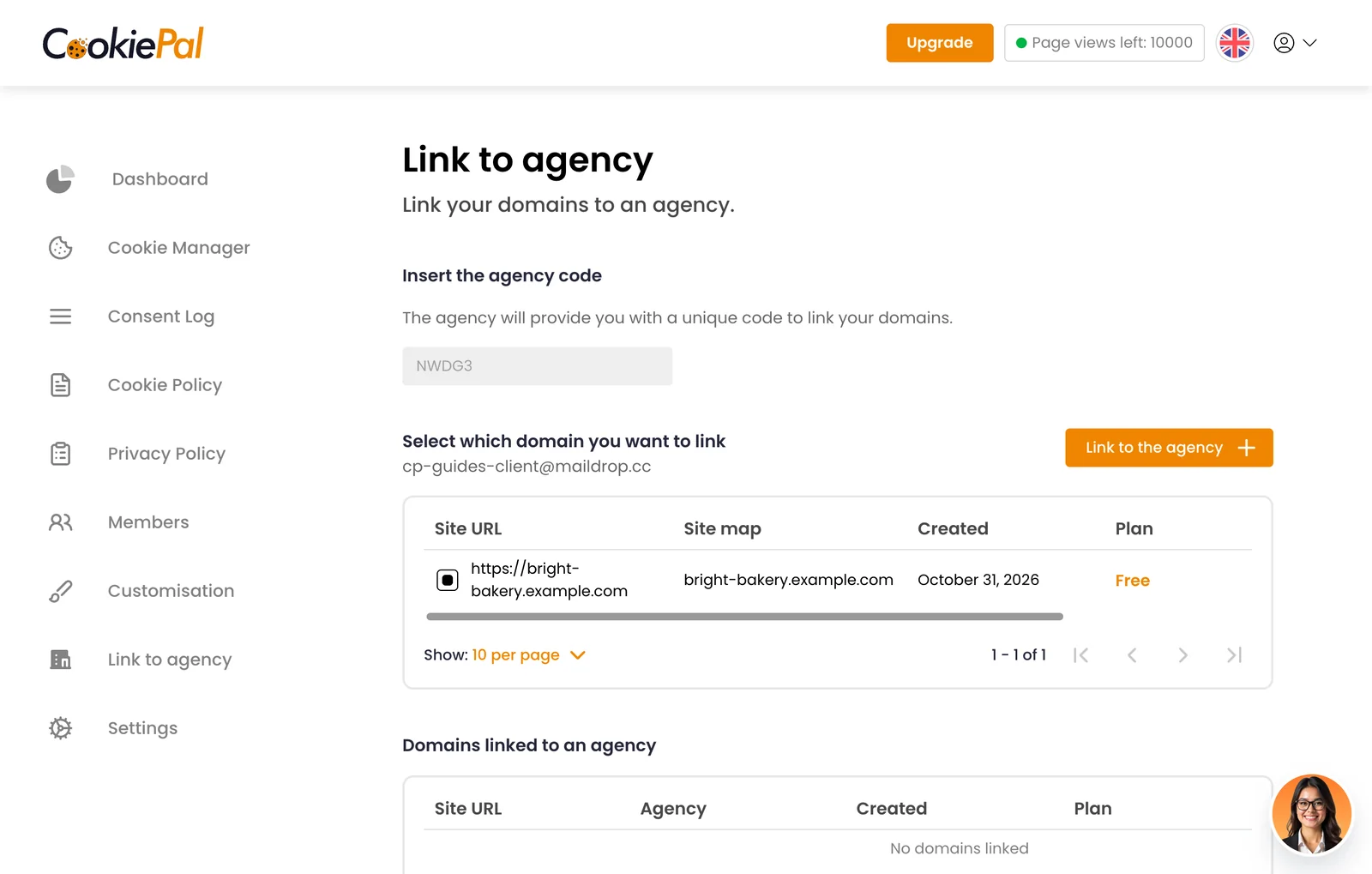
Your client signs in to their CookiePal account and:
1. Opens "Link to agency" from the menu in their dashboard.
2. Pastes your code under "Insert the agency code".
3. Selects the domains to link.
4. Clicks "Link to the agency".
No CookiePal account yet? Your client signs up and adds their website first, then links it.
See the Client in Your Dashboard
The linked domains appear in the list on the "Customers" page. From there you can open the client's account and set up their banner, as described in Open a Client's Account and Install the Banner.
You can also add clients yourself, without a partner code. See Add Many Customers at Once and Verify Their Domains.
Имаш ли още въпроси?
Свържи се с нас и ще отговорим на всички въпроси, които са ти останали!
Свържи се с нас